
Msg 15434 means the login you are dropping still has a session open. Disabling it will not clear that session, so find it, end it, and expect 2 more errors behind it if the login owns anything.
What Msg 15434 Says
KILL, then drop it. Find the sessions first, because ending them rolls back whatever they had open, and check what the login owns before the drop or it fails again.DROP LOGIN will not remove a login while any session is connected as it, and it does not wait: it fails straight away. This is a decommission-day error. The account is being retired, but an application server, a scheduled task or a forgotten SSMS window is still using it.
Find the Sessions
SELECT s.session_id,
       s.host_name,
       s.program_name,
       DB_NAME(s.database_id) AS database_name,
       s.status,
       s.last_request_end_time
FROM sys.dm_exec_sessions AS s
WHERE s.login_name = N'AppLogin'
ORDER BY s.last_request_end_time;
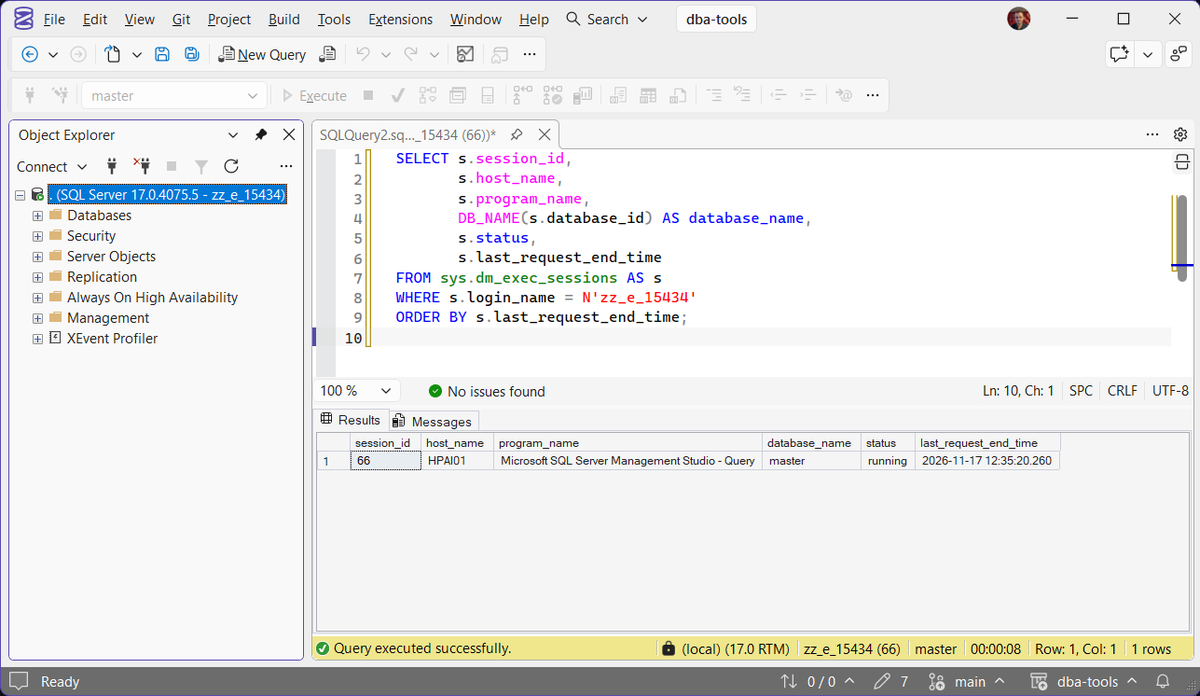
The host_name and program_name are the useful columns. They tell you which server and which application still had the account, and that is a conversation to have before the login goes, not after. If nobody can say what the account is used for, run Create Decommission Audit Session for a few days first and let it record every connection.
Disabling It Does Not End the Session
Disabling the login is the right first step, because it stops new logins. It does nothing to a session that is already connected. Measured on SQL Server 2025: after ALTER LOGIN ... DISABLE the session was still there, still running, and the drop failed with the same 15434.
ALTER LOGIN AppLogin DISABLE;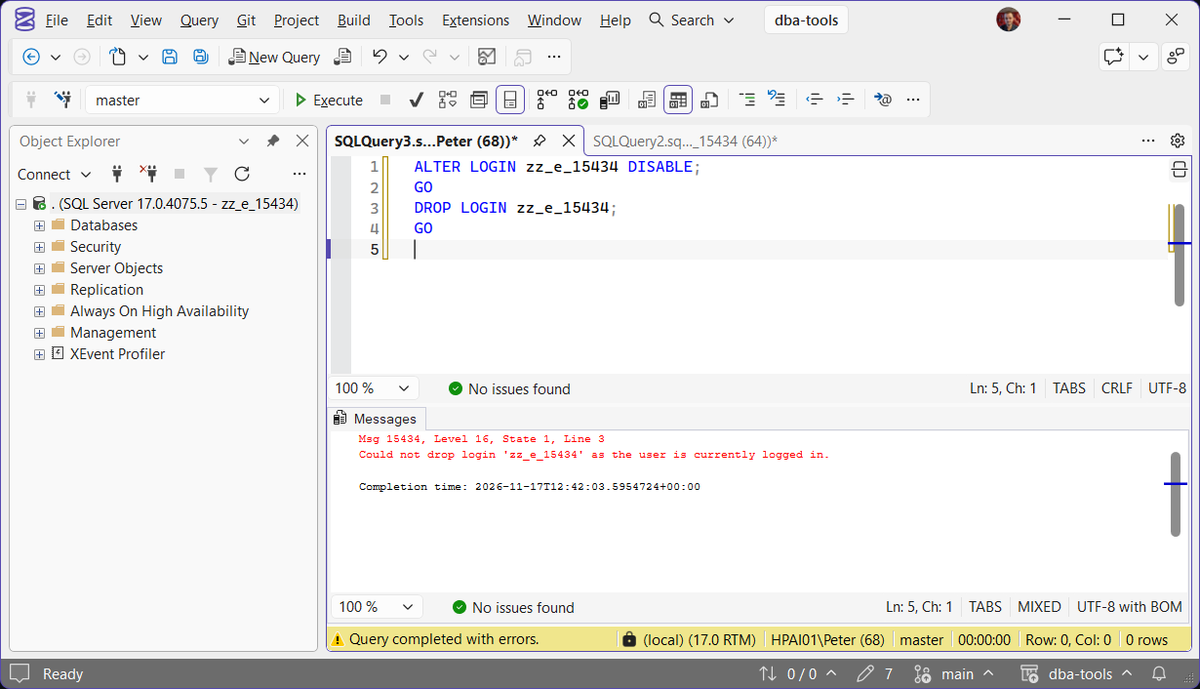
Do it anyway, before the next step. Without it, an application connection pool reconnects the moment you end its session, and you are back where you started. With it, the reconnect fails with Login Failed: The Account Is Disabled (Error 18470), and the application’s own log shows who still needed the account.
End the Sessions, Then Drop
DECLARE @sql nvarchar(max) = N'';

SELECT @sql += N'KILL ' + CAST(s.session_id AS nvarchar(10)) + N';'
FROM sys.dm_exec_sessions AS s
WHERE s.login_name = N'AppLogin';

PRINT @sql;  -- read it before you run it
EXEC (@sql);

DROP LOGIN AppLogin;
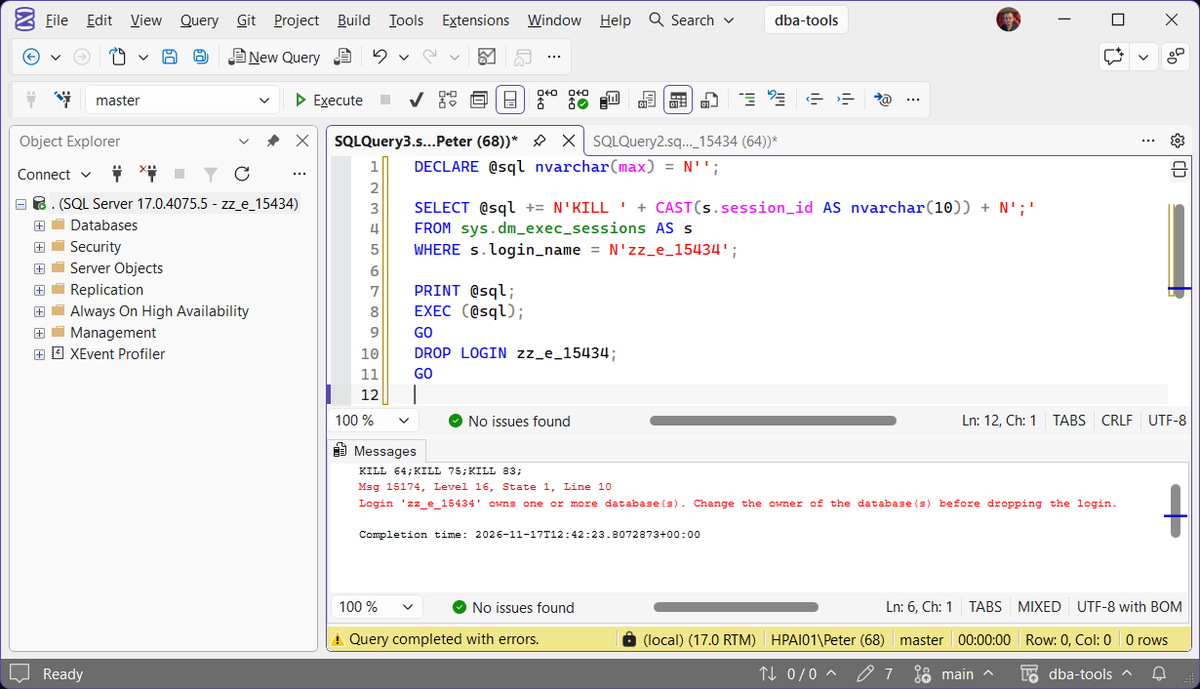
A killed session rolls back any transaction it had open, and the client sees Cannot continue the execution because the session is in the kill state. In the lab the session went straight away, and the drop moved on to its next check: what the login owns. How to Kill a SPID covers watching a long rollback if the session was mid-way through something large.
What the Login Owns
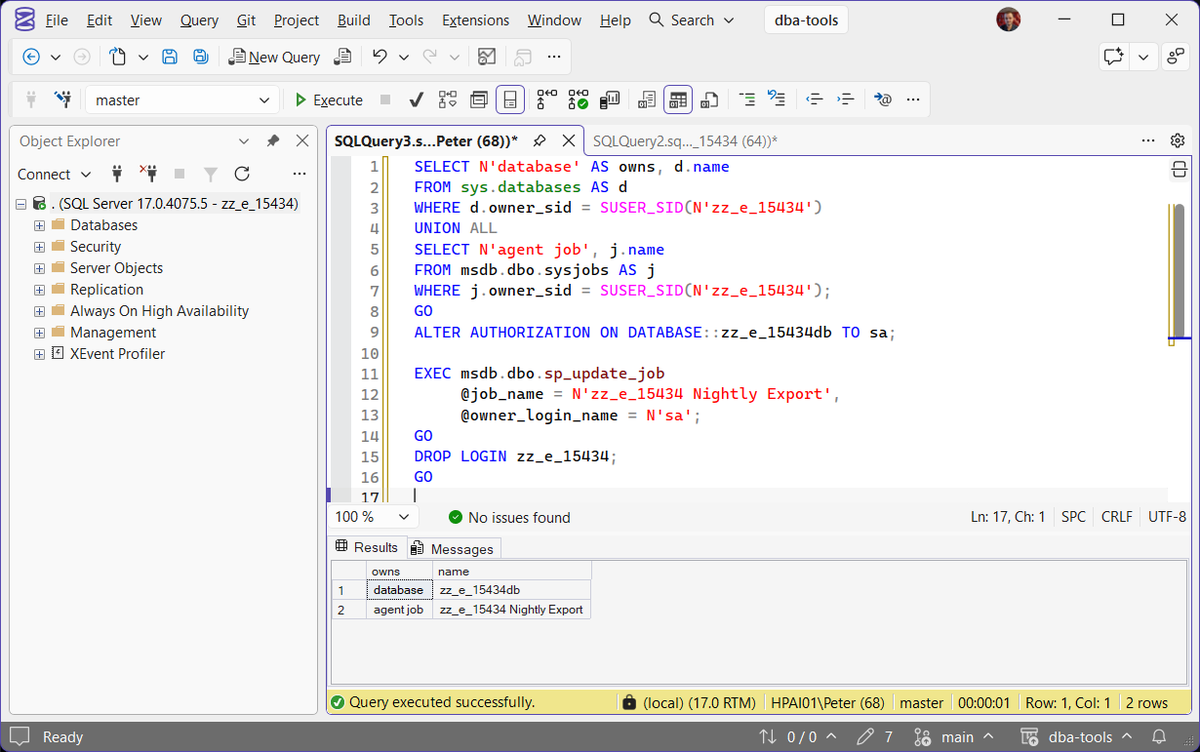
With the sessions gone, the drop fails again if the login owns anything. A login that owns a securable, a server-level object or an Agent job cannot be dropped. On SQL Server 2025 a login owning a database and a job failed on the database first, then on the job:
Check both before you start, so the drop works first time:
SELECT N'database' AS owns, d.name
FROM sys.databases AS d
WHERE d.owner_sid = SUSER_SID(N'AppLogin')
UNION ALL
SELECT N'agent job', j.name
FROM msdb.dbo.sysjobs AS j
WHERE j.owner_sid = SUSER_SID(N'AppLogin');
Then hand each one to a login that is staying:
ALTER AUTHORIZATION ON DATABASE::YourDb TO sa;

EXEC msdb.dbo.sp_update_job
     @job_name = N'Nightly Export',
     @owner_login_name = N'sa';
SQL Server will not drop a login that owns a job, so the drop itself is safe. A Windows account deleted in Active Directory gets no such check: its jobs fail at their next run with Unable to Determine if the Owner of Job Has Server Access (Error 15404). Reassign the jobs either way.
The Drop Leaves Its Database Users Behind
When DROP LOGIN finally succeeds it says nothing about the databases. In the lab, the login’s user in a database it was mapped to was still there afterwards, now with no login behind it. That is an orphaned user, and recreating the login does not reattach it, because the new login gets a new SID. Mapping the user to a login with ALTER USER ... WITH LOGIN does reattach it, and that fix is in User, Group or Role Already Exists in the Current Database (Error 15023). Get Orphaned Users lists them across every database, and dropping one that owns a schema stops on The Database Principal Owns a Schema (Error 15138).
The order that works first time, then: disable the login, find and end its sessions, reassign the databases and jobs it owns, drop it, and clean up the users it leaves. Anything that still tries the account after that fails with Login Failed for User (Error 18456), State 5 in the error log, and the log line carries the client address, which tells you what you missed.
Frequently Asked Questions
I disabled the login and it still says currently logged in.
KILL.Will KILL lose somebody’s work?
Does DROP LOGIN remove the database users?
Can I just disable the login and leave it?
Where To Go Next
Retiring a login touches sessions, ownership and every database it was mapped to:
- Create Decommission Audit Session, record who still connects before you remove anything
- How to Kill a SPID, what a KILL rolls back, and how to watch it
- Unable to Determine if the Owner of Job Has Server Access (Error 15404), the job failure when an owner’s Windows account is deleted in Active Directory
- Get Orphaned Users, the database users a dropped login leaves behind
- User, Group or Role Already Exists in the Current Database (Error 15023), remap an orphaned user to a login instead of dropping it
- The Database Principal Owns a Schema (Error 15138), when the orphaned user will not drop
- Login Failed for User (Error 18456), what anything still using the retired login sees
- Get Sysadmin Members, check the login is not hiding in a server role you forgot
Leave a Reply