
Msg 3702 means a session is still connected to the database you are dropping. Find it, and check it is not your own, before you clear anything.
What Msg 3702 Says
master, and if something else is still connected, put the database in single-user mode and drop it in the same batch. Find who is in it first, because clearing them rolls back whatever they had open.DROP DATABASE needs every other connection out, and it does not wait for them: it fails straight away with 3702. The state number says whose connection it was. Measured on SQL Server 2025, State 3 was the session running the DROP itself, its own query window still sitting in the database, and State 4 was a different session. So check the state before you go looking for somebody else.
Find the Sessions Holding It
SELECT s.session_id,
       s.login_name,
       s.host_name,
       s.program_name,
       s.status,
       s.last_request_end_time
FROM sys.dm_exec_sessions AS s
WHERE s.database_id = DB_ID(N'YourDb')
  AND s.session_id <> @@SPID
ORDER BY s.last_request_end_time;
An SSMS program_name is usually a query window or Object Explorer, and an application name is a connection pool that will reconnect the moment you clear it. Get Active Connections by Database gives the same answer for every database at once.
Your Own Window Counts
If the query window running the drop has the database as its context, the drop fails with State 3. Switch to master in the same batch:
USE master;
DROP DATABASE YourDb;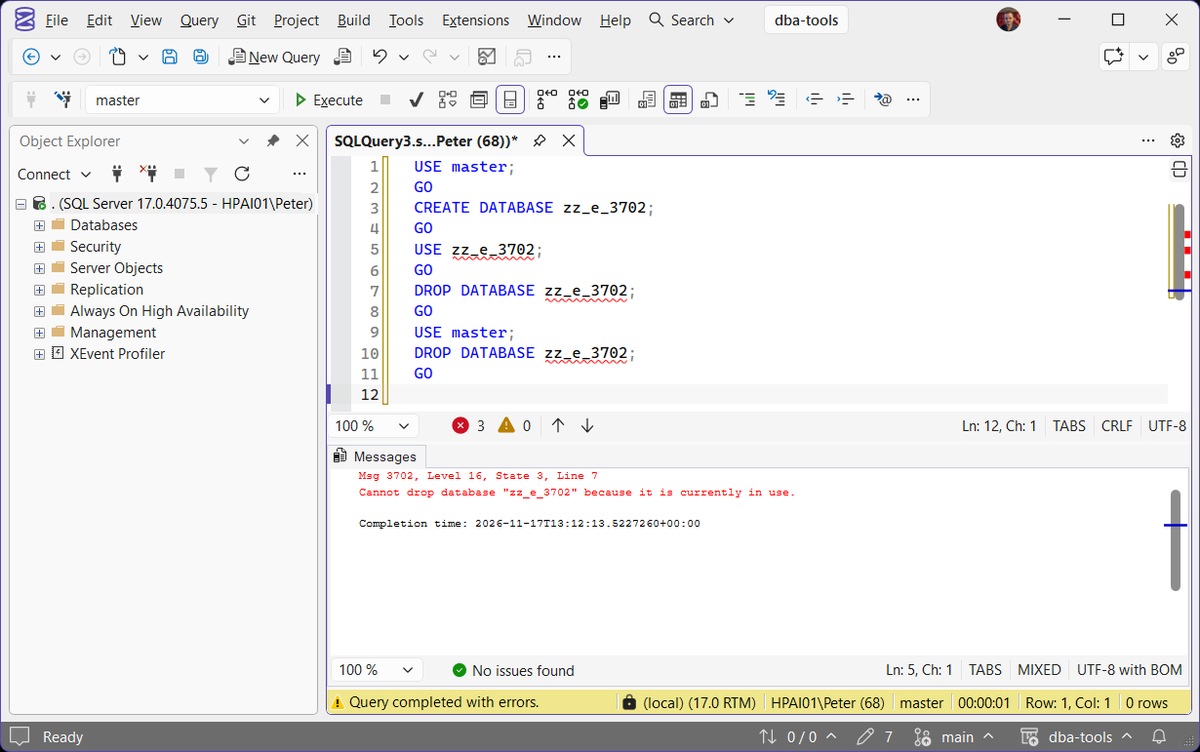
In SSMS, the Delete dialog has a Close existing connections checkbox at the bottom. It clears the other sessions for you, with the same rollback as the next section, so read the session list before you tick it.
Clear Them and Drop in One Batch
USE master;
ALTER DATABASE YourDb SET SINGLE_USER WITH ROLLBACK IMMEDIATE;
DROP DATABASE YourDb;
WITH ROLLBACK IMMEDIATE rolls back every open transaction in the database instead of waiting. In the lab run it printed Nonqualified transactions are being rolled back. Estimated rollback completion: 100%., and the session it threw out, which was mid-transaction, got Cannot continue the execution because the session is in the kill state. That is somebody else’s work being undone, so this belongs in a change window.
Keep the two statements together. Run them separately and an application pool can take the single connection in between, which is the lockout The Database Is in Single-User Mode gets you out of. Kill All User Sessions on a Database has this whole run captured on SQL Server 2025, from the State 4 error and the session that held it through to the clean drop, and the one KILL at a time route for when you would rather not change the database at all.
Do Not Take It Offline First
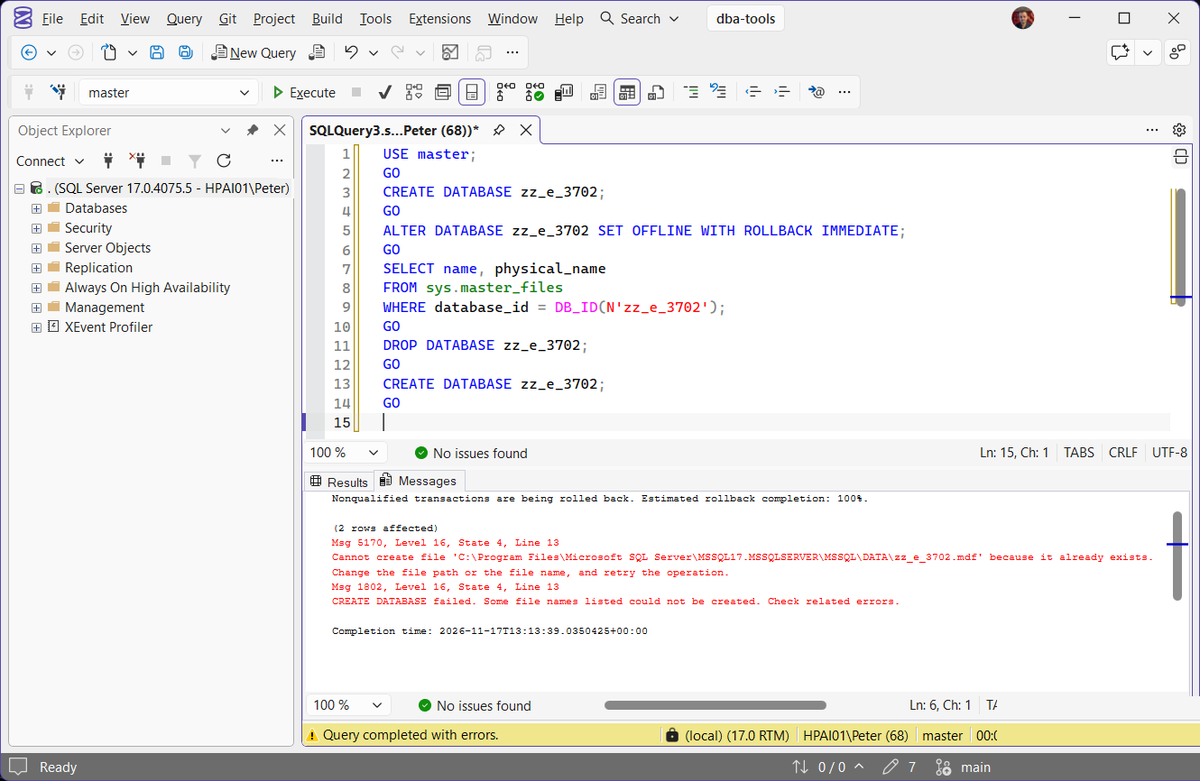
Setting the database OFFLINE also clears the sessions, and the drop then succeeds. It leaves the data and log files on disk. Microsoft’s DROP DATABASE reference says so in one line, and it bites later: creating a database with the same name failed in the lab with
and attaching the leftover files back failed with operating system error 5 (access denied), so they were not even a way back. Drop online, with the single-user batch above, and the files go with the database.
When It Is Not a Session
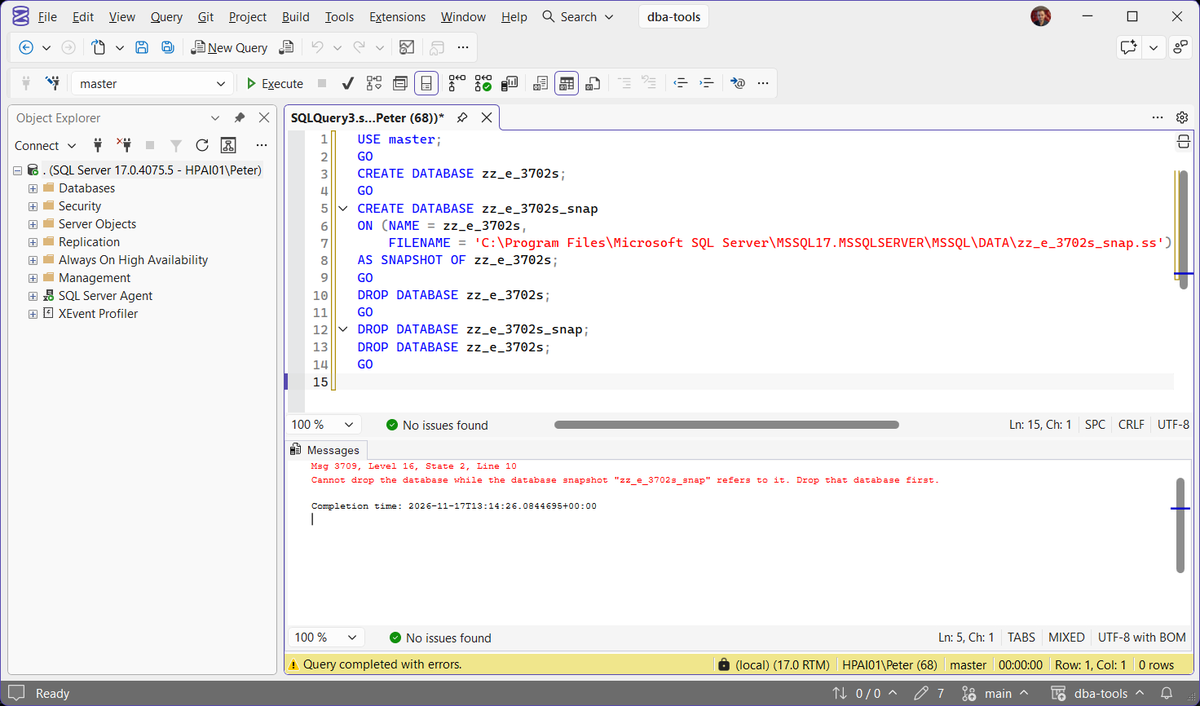
A database snapshot stops the drop with a different message, and no session list will show it:
Drop the snapshot first. Get Database Snapshot Inventory lists every snapshot and its source. Change data capture is not one of these: a CDC-enabled database, with its capture job running, dropped cleanly in the same test, and its capture and cleanup jobs went with it.
Frequently Asked Questions
I closed every window and it still says currently in use.
USE master; in front of it. State 4 is someone else, and the session query above names them.Is WITH ROLLBACK IMMEDIATE safe?
Why not just restart SQL Server?
Does dropping the database delete the files?
Where To Go Next
If the database still will not go, these cover the sessions and the lockouts around it:
- Kill All User Sessions on a Database, clear the connections without changing the database
- How to Kill a SPID, what a single KILL rolls back, and how to watch it
- Database Could Not Be Exclusively Locked (Error 5030), the same cause behind a rename or collation change
- Exclusive Access Could Not Be Obtained (Error 3101), the same cause behind a restore
- The Database Is in Single-User Mode, when the one connection is already taken
- Get Active Connections by Database, every database and who is in it
Leave a Reply