
Moving a table from dbo into a schema such as finance is one statement, ALTER SCHEMA ... TRANSFER. What catches people is what it does not do: it drops the permissions on the table, it does not touch the views and procedures that name it, and there is no RENAME SCHEMA at all.
Everything below was run on SQL Server 2025.
Find What References the Table
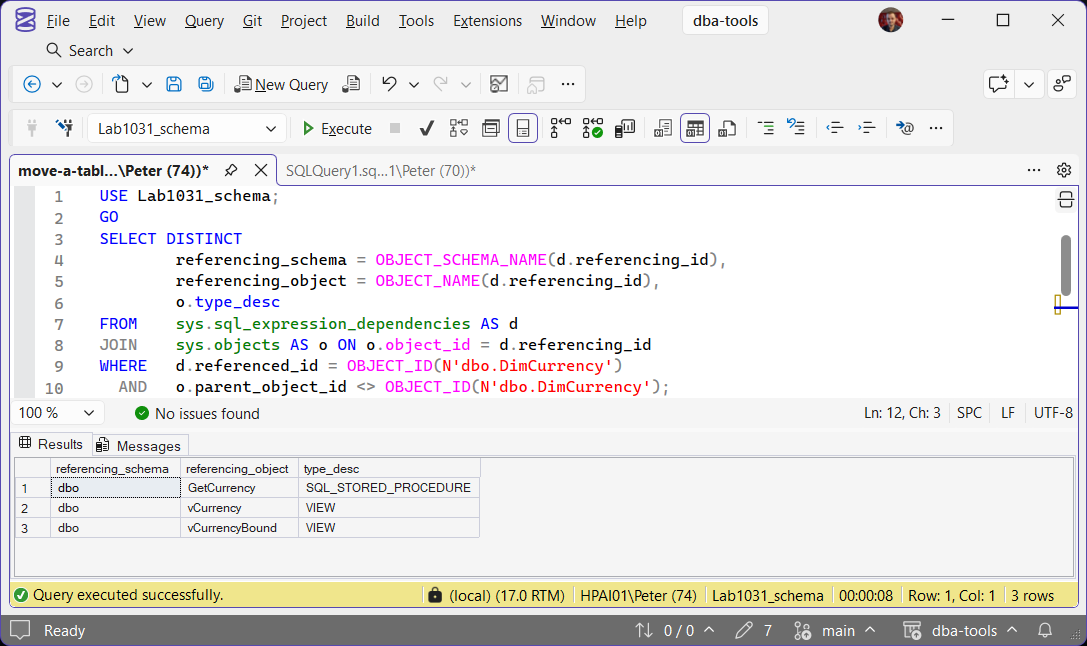
Anything that names dbo.DimCurrency breaks the moment it becomes finance.DimCurrency. Start with what the database knows about:
SELECT DISTINCT
        referencing_schema = OBJECT_SCHEMA_NAME(d.referencing_id),
        referencing_object = OBJECT_NAME(d.referencing_id),
        o.type_desc
FROM    sys.sql_expression_dependencies AS d
JOIN    sys.objects AS o ON o.object_id = d.referencing_id
WHERE   d.referenced_id = OBJECT_ID(N'dbo.DimCurrency')
  AND   o.parent_object_id <> OBJECT_ID(N'dbo.DimCurrency');
The last line filters out the table’s own check constraints and triggers, which move with it. DISTINCT is there because a view can appear once per column it uses. This only sees the current database: application code, reports, SSIS packages, Agent job steps and other databases will not show up. For references from other databases, see Get Collation Conflicts and Cross-Database Dependencies.
Script the Permissions First
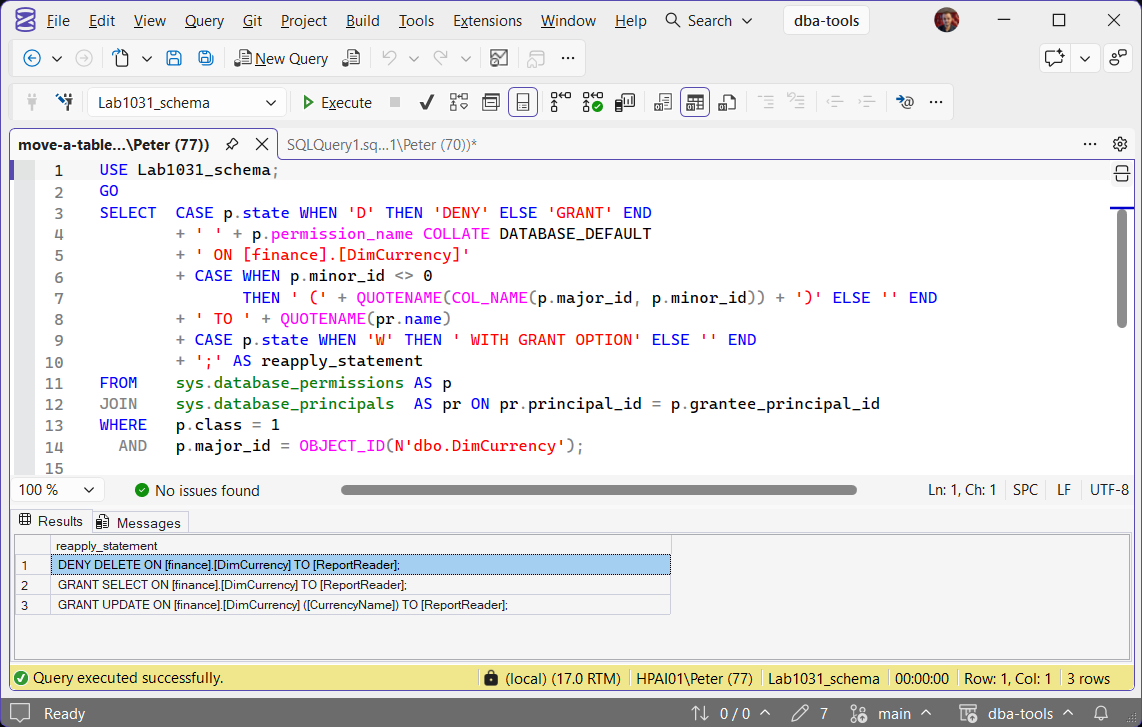
Every permission on the table is dropped by the transfer, which Microsoft documents for ALTER SCHEMA. Tested with a GRANT SELECT and a DENY DELETE on the table: after the move, sys.database_permissions had no rows for it at all. Generate the statements to put them back before you move anything:
SELECT  CASE p.state WHEN 'D' THEN 'DENY' ELSE 'GRANT' END
        + ' ' + p.permission_name COLLATE DATABASE_DEFAULT
        + ' ON [finance].[DimCurrency]'
        + CASE WHEN p.minor_id <> 0
               THEN ' (' + QUOTENAME(COL_NAME(p.major_id, p.minor_id)) + ')' ELSE '' END
        + ' TO ' + QUOTENAME(pr.name)
        + CASE p.state WHEN 'W' THEN ' WITH GRANT OPTION' ELSE '' END
        + ';' AS reapply_statement
FROM    sys.database_permissions AS p
JOIN    sys.database_principals  AS pr ON pr.principal_id = p.grantee_principal_id
WHERE   p.class = 1
  AND   p.major_id = OBJECT_ID(N'dbo.DimCurrency');
It covers DENYs, column-level grants and WITH GRANT OPTION. The COLLATE DATABASE_DEFAULT is not decoration: without it the concatenation fails with Msg 451, a collation conflict, in any database whose collation differs from the catalog views (Latin1_General_CI_AS_KS_WS). Permissions granted at the schema level, such as GRANT SELECT ON SCHEMA::dbo, are not on the table and need checking separately; Get Permissions and Role Membership shows both.
Create the Schema and Transfer the Table
IF SCHEMA_ID(N'finance') IS NULL
    EXEC (N'CREATE SCHEMA [finance] AUTHORIZATION [dbo];');
GO
ALTER SCHEMA [finance] TRANSFER [dbo].[DimCurrency];
CREATE SCHEMA has to be the only statement in its batch, which is why it sits inside EXEC. The schema on the left of TRANSFER is the destination. No data is copied: indexes and constraints stayed on the table in the test, and only the metadata changed. It does need a schema modification lock, so it waits behind open transactions on the table and blocks everything queued behind it. Then run the statements you generated above.
Keep AUTHORIZATION [dbo] unless you mean to change ownership. If the new schema is owned by another user, a dbo procedure reading the moved table no longer has an unbroken ownership chain, and a user with only EXECUTE on the procedure gets The SELECT Permission Was Denied on the Object (Error 229). Tested with the new schema owned by a WITHOUT LOGIN user, that is exactly what the caller got.
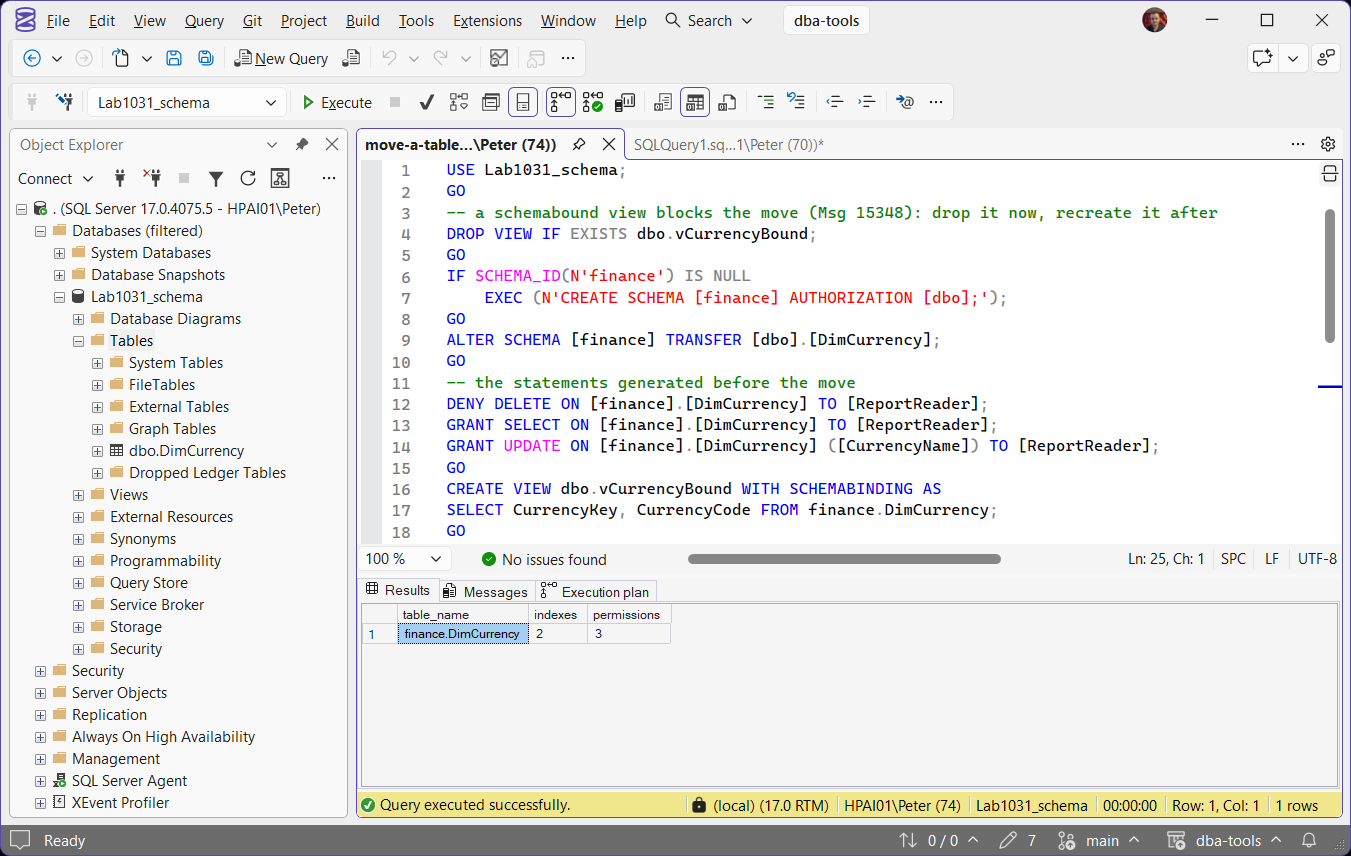
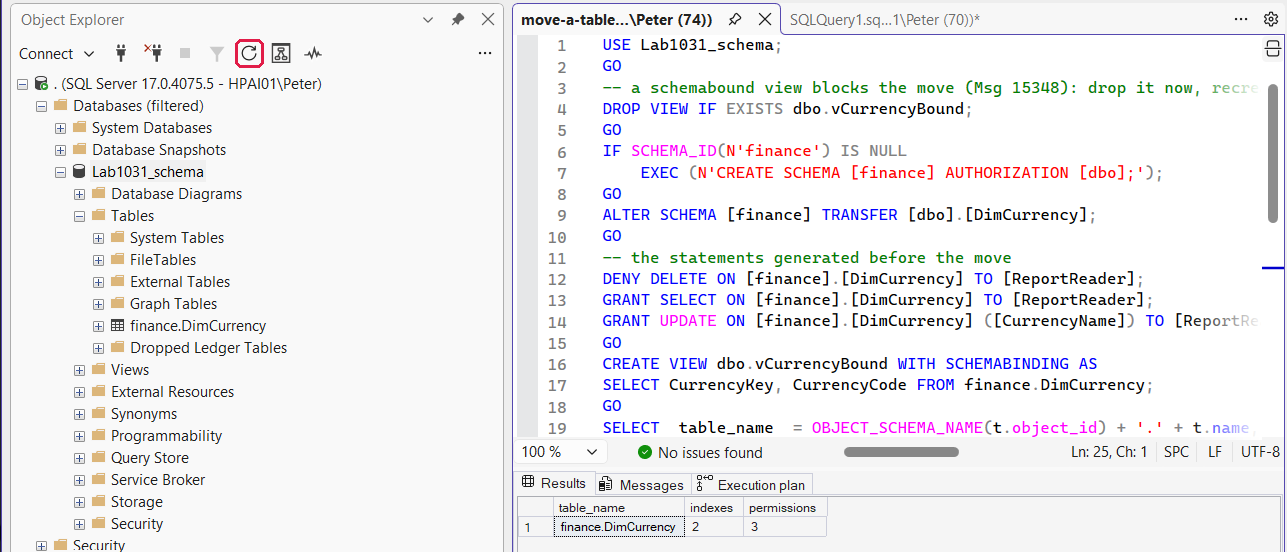
Object Explorer does not pick up the move on its own. Until you refresh it, the Tables folder still lists dbo.DimCurrency, as above. Press F5 on the folder or click refresh at the top of Object Explorer, and it shows finance.DimCurrency:
If SSMS underlines the new name in red, refresh IntelliSense with Ctrl+Shift+R.
What Stops the Transfer
A view or function created WITH SCHEMABINDING over the table blocks it:
The message names neither the table nor the view. The dependency query above lists it; drop or alter the bound view, transfer, then recreate it against the new name.
Permissions are the other block. The caller needs ALTER on the destination schema and CONTROL on the table. Tested with a user that had only ALTER on finance:
Adding GRANT CONTROL ON dbo.DimCurrency to the same user let the transfer through. Members of db_owner have both already.
Fix the References, or Add a Synonym
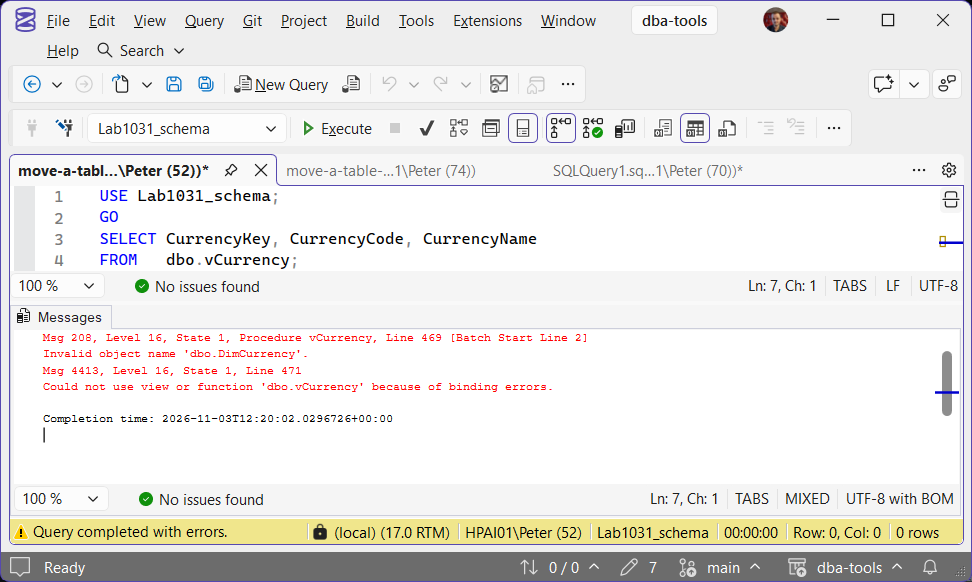
After the move, the untouched view failed straight away:
followed by Msg 4413, could not use view or function because of binding errors. Update the views, procedures and application code you found earlier. If they cannot all change at once, a synonym keeps the old name working while callers move over:
CREATE SYNONYM [dbo].[DimCurrency] FOR [finance].[DimCurrency];With the synonym in place the same view and procedure worked again unchanged. Drop it once nothing uses the old name. Error 208 in general is covered in Invalid Object Name (Error 208).
Do Not Transfer Procedures, Views or Functions
ALTER SCHEMA TRANSFER accepts them, and Microsoft advises against it. Moving a procedure in the test left its stored definition still reading CREATE PROCEDURE dbo.GetCurrency, so anything that scripts it from OBJECT_DEFINITION or sp_helptext gets the old schema back. Script the module, change the schema in the script, create it in the new schema and drop the old one. View the Definition of a Stored Procedure shows where that text comes from.
Renaming a Schema
There is no ALTER SCHEMA ... RENAME. To turn sales into commercial, create the new schema and move everything across:
-- the new schema
EXEC (N'CREATE SCHEMA [commercial] AUTHORIZATION [dbo];');

-- one TRANSFER per table in the old schema: review the output, then run it
SELECT 'ALTER SCHEMA [commercial] TRANSFER ' + QUOTENAME(s.name) + '.' + QUOTENAME(t.name) + ';'
FROM   sys.tables  AS t
JOIN   sys.schemas AS s ON s.schema_id = t.schema_id
WHERE  s.name = N'sales';

-- views, procedures and functions: script and recreate them in the new schema

-- once the old schema is empty
DROP SCHEMA [sales];
Every table still needs its permissions scripted first, exactly as for a single move. Dropping the old schema while anything is left in it fails, which is the safe outcome:
If the old schema is owned by a user you later want to drop, that is The Database Principal Owns a Schema (Error 15138).
Frequently Asked Questions
Does moving a table copy the data?
Do indexes and constraints move with the table?
Can I test the move without the risk?
Summary
Find the references and script the permissions, including DENYs, before you move anything. Then ALTER SCHEMA [new] TRANSFER [old].[table], re-apply the permissions, and fix the callers or bridge them with a synonym. A schemabound view blocks the move with Msg 15348. To rename a schema, create the new one, transfer the tables, recreate the modules and drop the old schema.
Related
- Login Failed or Permission Denied, when callers start failing after the move
- DBA Scripts: Get User Permissions Audit, check every grant landed on the new name
- DBA Scripts: Get Schema Change History, see who moved what, and when
- SSMS Schema Compare, compare the moved database against a copy
- DBA Scripts: The Complete Guide
Leave a Reply