
SID-Preserving Login Recreation for a Migration
The databases are restored on the new server and every database user comes back orphaned, or the application’s login is refused. Both trace back to logins recreated by hand with new SIDs. This script reads the source instance’s own system catalogs and produces plain CREATE LOGIN DDL text, with the SQL logins’ password hashes and original SIDs, the disabled state and the server role memberships. You review it in your own SSMS window, then run it against the target once you’re satisfied it’s correct. Nothing touches the target automatically.
Why SID-Preserving Login Recreation Matters
- A
CREATE USERmapped to a login whose SID doesn’t match the original database user’s SID silently fails to map, and you find out when an application can’t connect, not at migration time - Manual login recreation across a maintenance window is exactly when one gets missed, or a permission gets applied differently than the one before it
- Generated DDL means you review the exact
CREATE LOGINstatement before it runs, not a black-box migration tool doing it for you - This is a generator, not a full migration platform. It doesn’t move data or orchestrate cutover, it solves the specific problem of recreating login identity correctly on the target
When to Run This Script
- Migrating databases to new hardware or a new SQL Server version
- Consolidating several instances onto one server
- Standing up a DR or failover target that needs the same logins as production
- Building a side-by-side test environment before a cutover
The Script
Produces CREATE LOGIN DDL for every non-system SQL and Windows login, including the SQL logins’ password hashes and original SIDs, plus server role memberships. Preserving the SID is what prevents orphaned database users after the databases are restored. Run it as a login with CONTROL SERVER (any sysadmin has it). With less, other logins are invisible or their hashes read as NULL, so the script stops with an error rather than hand you an empty or partial script.
- Tested on: SQL Server 2025 (RTM CU8), Windows lab instance
- Last verified: 2026-10-23 (Generate-LoginScript run on the lab; every SQL login, Windows login, server role membership and disabled state on the instance came out in the script)
- Permissions: CONTROL SERVER (sysadmin has it), or VIEW ANY DEFINITION plus VIEW ANY CRYPTOGRAPHICALLY SECURED DEFINITION on SQL Server 2022 and later
- Safety: read-only, impact low
/*
Script Name : Generate-LoginScript
Category    : migration
Purpose     : Generate CREATE LOGIN DDL for all non-system logins with SIDs and hashed passwords preserved.
Author      : Peter Whyte (https://sqldba.blog/dba-scripts-generate-login-script/)
Requires    : CONTROL SERVER (sysadmin has it), or on SQL Server 2022 and later VIEW ANY DEFINITION
              plus VIEW ANY CRYPTOGRAPHICALLY SECURED DEFINITION. With less, other logins are
              invisible or their password hashes read as NULL, so the script stops with an error.
Notes       : Disabled logins are re-created and then DISABLED again. CREATE LOGIN always
              produces an enabled login, so the state has to be re-applied explicitly.
              Without it a decommissioned account comes back live on the target.
              Each section is built with STRING_AGG, not SELECT @var = @var + ... ORDER BY.
              That older pattern is documented as unreliable and silently dropped most server
              role memberships when tested on SQL Server 2025. Needs SQL Server 2017 or later.
              A DEFAULT_DATABASE missing on the target makes CREATE LOGIN fail (Msg 15010),
              so restore databases first or edit that login's block to [master].
              NOT scripted, by design: server-level permissions and explicit DENY CONNECT SQL.
              Run Get-MigrationLoginAudit.sql on the source and compare after migrating.
*/
-- SAFE:ReadOnly
-- IMPACT:Low
SET NOCOUNT ON;
SET QUOTED_IDENTIFIER ON;

-- Without the right permissions the output is NULL or partial with no error, so fail loudly instead:
-- other logins are invisible without VIEW ANY DEFINITION, hashes read NULL without CONTROL SERVER
-- (or VIEW ANY CRYPTOGRAPHICALLY SECURED DEFINITION on SQL Server 2022 and later).
IF HAS_PERMS_BY_NAME(NULL, NULL, N'VIEW ANY DEFINITION') <> 1
   OR EXISTS (SELECT 1 FROM sys.sql_logins WHERE password_hash IS NULL AND name NOT LIKE N'##%##')
BEGIN
    RAISERROR(N'Generate-LoginScript needs CONTROL SERVER (or VIEW ANY DEFINITION plus VIEW ANY CRYPTOGRAPHICALLY SECURED DEFINITION). Without it logins are invisible or their password hashes read as NULL, so the generated script would be empty or incomplete.', 16, 1);
    RETURN;
END;

DECLARE @ddl  NVARCHAR(MAX) = N'';
DECLARE @crlf NCHAR(2)      = CHAR(13) + CHAR(10);
DECLARE @len  INT;   -- section length marker: an empty section must SAY it is empty

SET @ddl = @ddl
    + N'-- ================================================================' + @crlf
    + N'-- Login Migration Script' + @crlf
    + N'-- Source  : ' + @@SERVERNAME + @crlf
    + N'-- Generated: ' + CONVERT(NVARCHAR(30), GETDATE(), 120) + @crlf
    + N'-- Run on TARGET server AFTER databases are restored.' + @crlf
    + N'-- SQL logins include hashed passwords and original SIDs to avoid' + @crlf
    + N'-- orphaned users after restore.' + @crlf
    + N'-- NOTE: If a login''s DEFAULT_DATABASE does not exist on the target,' + @crlf
    + N'-- CREATE LOGIN fails with Msg 15010 and that login is NOT created.' + @crlf
    + N'-- Restore the database first, or change DEFAULT_DATABASE to [master]' + @crlf
    + N'-- in that login''s block before running it.' + @crlf
    + N'-- NOTE: Logins disabled on the source are re-disabled below. Server-level' + @crlf
    + N'-- permissions and explicit DENY CONNECT SQL are NOT scripted, audit those' + @crlf
    + N'-- separately with Get-MigrationLoginAudit.sql.' + @crlf
    + N'-- ================================================================' + @crlf + @crlf;

-- ── SQL logins ────────────────────────────────────────────────────────────────

SET @ddl = @ddl + N'-- SQL Logins' + @crlf + N'GO' + @crlf + @crlf;
SET @len = LEN(@ddl);

SELECT @ddl = @ddl + ISNULL(STRING_AGG(CAST(
      N'IF NOT EXISTS (SELECT 1 FROM sys.server_principals WHERE name = N''' + REPLACE(p.name, N'''', N'''''') + N''')' + @crlf
    + N'BEGIN' + @crlf
    + N'    CREATE LOGIN ' + QUOTENAME(p.name) + @crlf
    + N'        WITH PASSWORD = ' + CONVERT(NVARCHAR(MAX), sl.password_hash, 1) + N' HASHED,' + @crlf
    + N'             SID      = ' + CONVERT(NVARCHAR(MAX), p.sid, 1) + N',' + @crlf
    + N'             DEFAULT_DATABASE = ' + QUOTENAME(ISNULL(p.default_database_name, N'master')) + N',' + @crlf
    + N'             DEFAULT_LANGUAGE = ' + QUOTENAME(ISNULL(p.default_language_name, N'us_english')) + N',' + @crlf
    + N'             CHECK_POLICY     = ' + CASE sl.is_policy_checked     WHEN 1 THEN N'ON' ELSE N'OFF' END + N',' + @crlf
    + N'             CHECK_EXPIRATION = ' + CASE sl.is_expiration_checked WHEN 1 THEN N'ON' ELSE N'OFF' END + @crlf
    -- Disabled state is NOT carried by CREATE LOGIN. Re-apply it, or the account
    -- comes back enabled on the target with its original password still valid.
    -- Inside the guard, so it only touches logins this script actually created.
    + CASE WHEN p.is_disabled = 1
           THEN N'    ALTER LOGIN ' + QUOTENAME(p.name) + N' DISABLE;  -- disabled on source' + @crlf
           ELSE N'' END
    + N'END' + @crlf
    + N'GO' + @crlf + @crlf AS NVARCHAR(MAX)), N'') WITHIN GROUP (ORDER BY p.name), N'')
FROM sys.server_principals p
INNER JOIN sys.sql_logins sl ON p.principal_id = sl.principal_id
WHERE p.type = 'S'
  AND p.name NOT LIKE N'##%##'
  AND p.name NOT IN (N'sa', N'guest', N'public');

-- ── Windows logins and groups ─────────────────────────────────────────────────

IF LEN(@ddl) = @len
    SET @ddl = @ddl + N'-- (none found)' + @crlf + @crlf;

SET @ddl = @ddl + N'-- Windows Logins and Groups' + @crlf + N'GO' + @crlf + @crlf;
SET @len = LEN(@ddl);

SELECT @ddl = @ddl + ISNULL(STRING_AGG(CAST(
      N'IF NOT EXISTS (SELECT 1 FROM sys.server_principals WHERE name = N''' + REPLACE(p.name, N'''', N'''''') + N''')' + @crlf
    + N'BEGIN' + @crlf
    + N'    CREATE LOGIN ' + QUOTENAME(p.name) + N' FROM WINDOWS' + @crlf
    + N'        WITH DEFAULT_DATABASE = ' + QUOTENAME(ISNULL(p.default_database_name, N'master')) + N',' + @crlf
    + N'             DEFAULT_LANGUAGE = ' + QUOTENAME(ISNULL(p.default_language_name, N'us_english')) + @crlf
    + CASE WHEN p.is_disabled = 1
           THEN N'    ALTER LOGIN ' + QUOTENAME(p.name) + N' DISABLE;  -- disabled on source' + @crlf
           ELSE N'' END
    + N'END' + @crlf
    + N'GO' + @crlf + @crlf AS NVARCHAR(MAX)), N'') WITHIN GROUP (ORDER BY p.name), N'')
FROM sys.server_principals p
-- 'U' = WINDOWS_LOGIN, 'G' = WINDOWS_GROUP. There is no type 'W' in
-- sys.server_principals, so a 'W' here matches nothing and silently
-- scripts no Windows logins at all.
WHERE p.type IN ('U', 'G')
  AND p.name NOT LIKE N'##%##'
  AND p.name NOT IN (N'sa', N'guest', N'public')
  AND p.name NOT LIKE N'NT SERVICE\%'
  AND p.name NOT LIKE N'NT AUTHORITY\%'
  AND p.name NOT LIKE N'BUILTIN\%';

-- ── Server role memberships ───────────────────────────────────────────────────

IF LEN(@ddl) = @len
    SET @ddl = @ddl + N'-- (none found)' + @crlf + @crlf;

SET @ddl = @ddl + N'-- Server Role Memberships' + @crlf + N'GO' + @crlf + @crlf;
SET @len = LEN(@ddl);

SELECT @ddl = @ddl + ISNULL(STRING_AGG(CAST(
      N'IF EXISTS (SELECT 1 FROM sys.server_principals WHERE name = N''' + REPLACE(m.name, N'''', N'''''') + N''')' + @crlf
    + N'    ALTER SERVER ROLE ' + QUOTENAME(r.name) + N' ADD MEMBER ' + QUOTENAME(m.name) + N';' + @crlf
    + N'GO' + @crlf + @crlf AS NVARCHAR(MAX)), N'') WITHIN GROUP (ORDER BY r.name, m.name), N'')
FROM sys.server_role_members srm
INNER JOIN sys.server_principals r ON srm.role_principal_id  = r.principal_id
INNER JOIN sys.server_principals m ON srm.member_principal_id = m.principal_id
WHERE r.name <> N'public'
  AND m.name NOT LIKE N'##%##'
  AND m.name NOT IN (N'sa')
  AND m.name NOT LIKE N'NT SERVICE\%'
  AND m.name NOT LIKE N'NT AUTHORITY\%';

IF LEN(@ddl) = @len
    SET @ddl = @ddl + N'-- (none found)' + @crlf + @crlf;

SELECT @ddl AS ddl;
How To Run From The Repo
# Clone dba-tools repo:
git clone https://github.com/peterwhyte-lgtm/dba-tools

# Initialize environment:
cd dba-tools
.\Initialize-Environment.ps1

# Set the source server for the session:
.\tools\local-sql\Set-SqlConnection.ps1 -ServerInstance PROD01\SQL2019

# Generate the DDL, review the output before running it on the target:
.\powershell\migration\Generate-LoginScript.ps1

# Output: output-files\migration\*.sql
This script lives in the repo at:
Example Output
Run it with Results to Text (Ctrl+T). The script returns its whole output as 1 long text value, and SSMS cuts text output at 256 characters per column by default, so raise that limit first: How to Increase Maximum Characters Displayed in SSMS.
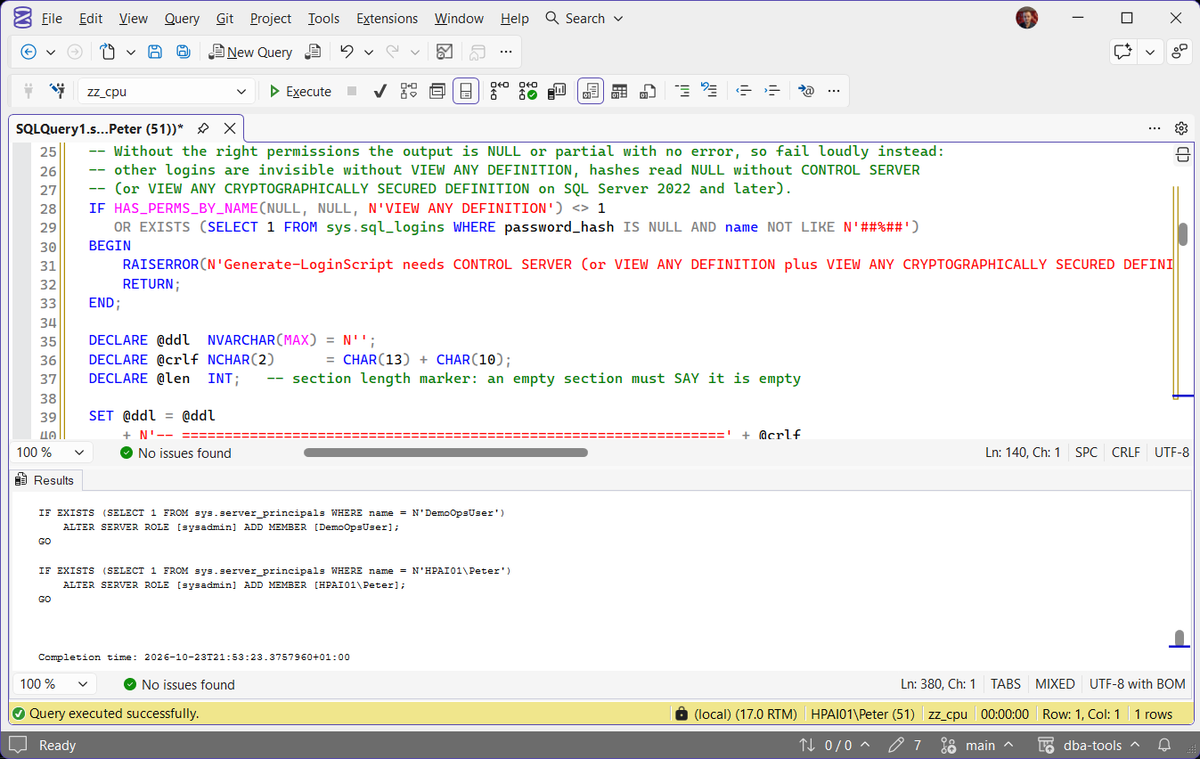
One SQL login from the lab instance, disabled on the source and a member of dbcreator, as the generator writes it. The password hash is shortened here; the generated line carries the full value.
The ALTER LOGIN ... DISABLE sits inside the same guard as the CREATE LOGIN, so it only touches a login this script has just created, and the role membership comes in its own section after every login exists. Run against an instance where that login had been dropped, it came back with the same SID, password hash, disabled state, default database, default language, policy flags and role membership. The original password still authenticated, and the user in the restored database mapped back to it with no ALTER USER.
What to Check in the Generated Script
ALTER SERVER ROLE linesSELECT @ddl = @ddl + ... ORDER BY, a pattern MS Docs warns is nondeterministic, and on SQL Server 2025 it wrote 1 of 11 memberships with no warning. Each section is now built with STRING_AGG, which needs SQL Server 2017 or later, and the same instance gets all 11.Act when the count is short. Count the ALTER SERVER ROLE lines against sys.server_role_members on the source before you trust the script.'U' in sys.server_principals and a Windows group is 'G'. An older version filtered on 'W', which matches nothing, so the Windows section came out empty on every server and the role lines for those logins did nothing behind their IF EXISTS guard. A section that finds nothing now prints -- (none found).Act when a section reads -- (none found) on a server you know has Windows logins.ALTER LOGIN ... DISABLECREATE LOGIN always produces an enabled login, so without that line a decommissioned account arrives live with its original password still valid.Msg 50000CONTROL SERVER, older versions returned a single NULL with no error, including for a login holding the VIEW SERVER STATE the header used to ask for. It now stops with Msg 50000 naming the permission it needs, so you get a script or an error, never a NULL.DEFAULT_DATABASECREATE LOGIN fails and the login is not created at all, so the disable line after it fails too, as in the box below.Act when a login's default database is not on the target yet. Restore the databases first, or change that login's DEFAULT_DATABASE to [master] before you run its block.Once the database is there, Set the Default Database for a SQL Server Login puts the login back on it.
Best Practices
- Always review the generated DDL before running it on the target. Nothing here executes automatically.
- Generate it on the source whenever you like, but run it on the target after the databases are restored, so every default database exists. Generate User Mapping Script comes after it, because it needs the logins to already exist on the target.
- Preserve the SID, not just the login name. An orphaned user from a mismatched SID is much harder to diagnose after the fact than to prevent up front.
- Read the generated script for
-- (none found)before you run it. An empty section is a legitimate answer on some servers and a red flag on others, and it is now visible either way. - Check the disabled logins landed disabled.
SELECT name, is_disabled FROM sys.server_principalson both servers, and compare, is a 10-second check that catches a whole class of problem. - Treat the generated file like a credential. It holds every SQL login’s password hash, so keep it off shared drives and source control, and delete it once the migration is signed off.
- Server-level permissions and explicit
DENY CONNECT SQLare deliberately not scripted here. Audit those separately with Get Migration Login Audit and Post-Migration Validation. - After restoring, run Fix Orphaned Users to catch anything that didn’t line up cleanly.
MS Docs covers sys.server_principals, sys.sql_logins, sys.server_role_members and CREATE LOGIN in full.
Frequently Asked Questions
Why does preserving the SID matter so much?
A database user is mapped to a server login by SID, not by name. If the target’s login has a different SID than the source database expected, CREATE USER ... FOR LOGIN either fails to map correctly or creates an orphaned user, one that exists in the database but can’t authenticate through the login it’s supposed to be tied to.
How do I get the SID of a SQL login?
Query sys.server_principals. SELECT name, CONVERT(varchar(100), sid, 1) AS sid_hex FROM sys.server_principals WHERE name = 'YourLogin'; returns the SID in readable hex. Run the same query shape against sys.database_principals inside the restored database and compare the two values.
If they differ, the user is orphaned. ALTER USER [YourUser] WITH LOGIN = [YourLogin]; re-binds it to the current login. The script on this page avoids the mismatch in the first place by carrying the original SID on its CREATE LOGIN statements.
I ran the login script and the database users are still orphaned. Why?
The target already had a login with that name. Every block is wrapped in IF NOT EXISTS on the name, so the existing login is left alone with its own SID and its own password, the block does nothing and prints nothing, and the database user stays orphaned. Compare the SIDs with the query in the answer above. If the existing login is not needed, drop it and run that login’s block again; otherwise re-map each user with ALTER USER [YourUser] WITH LOGIN = [YourLogin];, or use Fix Orphaned Users across every database.
Does this script move the actual login passwords in plain text?
No. It extracts the password hash directly from sys.sql_logins and recreates the login with CREATE LOGIN ... WITH PASSWORD = <hash> HASHED, the plain-text password itself is never read or exposed. The hash is still a secret, so the generated file deserves the same care as a password list.
Are Windows logins and Active Directory groups included?
Yes. Windows logins are type 'U' in sys.server_principals and Windows groups are type 'G'. An older version filtered on 'W', which is not a type SQL Server uses, so the Windows section came out empty on every server. Service accounts under NT SERVICE\, NT AUTHORITY\ and BUILTIN\ are still excluded on purpose, they belong to the target instance’s own installation and shouldn’t be carried over.
What happens to a login that is disabled on the source server?
It is recreated and then disabled again, with ALTER LOGIN [name] DISABLE; emitted directly inside the creation block. This matters because CREATE LOGIN has no syntax for creating a login in a disabled state, it always produces an enabled one. Without that line a decommissioned or deliberately locked account arrives on the new server live, with its original password still valid, and nothing in the output says so.
Why does it stop with Msg 50000, or return NULL?
The login running it cannot see what it needs. Other logins only appear in sys.server_principals with VIEW ANY DEFINITION, and password_hash in sys.sql_logins reads as NULL without CONTROL SERVER (or, on SQL Server 2022 and later, VIEW ANY CRYPTOGRAPHICALLY SECURED DEFINITION). One NULL hash used to turn the whole output into NULL, with no error. Measured on SQL Server 2025, a login with only CONNECT SQL, VIEW SERVER STATE, VIEW ANY DEFINITION or ALTER ANY LOGIN got NULL, and a login with only VIEW ANY CRYPTOGRAPHICALLY SECURED DEFINITION got a script holding 1 login, its own. The script now checks first and stops with Msg 50000 instead. Run it as a sysadmin, or grant both VIEW ANY DEFINITION and VIEW ANY CRYPTOGRAPHICALLY SECURED DEFINITION.
Why doesn’t it script server-level permissions or DENY CONNECT SQL?
Because guessing at them is worse than leaving them out. Explicit grants and denies at server scope are a separate audit, and a generator that half-covers them gives you a false sense that permissions came across. Run Get Migration Login Audit and Post-Migration Validation on the source, keep the output, and compare after the migration.
Summary
One generator, one job: recreate every login on the target with its original SID and password hash intact, so the databases restored afterward don’t end up with orphaned users. It carries Windows logins and groups, every server role membership and the disabled state, and it stops with an error rather than hand back an empty script when it lacks the permissions. Generate it on the source, run it on the target once the databases are restored, and read the output for -- (none found) and the role lines before you trust it.
Related
You may also find these useful:
- DBA Scripts: SQL Server Migration Script Generators
- Generate User Mapping Script
- Generate Restore With Move Script
- Get Migration Risk Assessment
- Get Migration Login Audit and Post-Migration Validation
- Get Login Migration Parity, compare login attributes between the source and target after the transfer
- SQL Server Login Migration: What Gets Silently Left Behind, the attributes a login transfer does not carry
- DBA Scripts: The Complete Guide, the map across every script on this site
Leave a Reply