
Most people searching for “random numbers in SQL Server” want one of two things:
- A random value they can use for test data
- Rows to come back in a random order
SQL Server gives you two common tools for this: RAND() and NEWID(). They solve different problems, and confusion usually starts when they are treated as interchangeable.
This post shows how to use both, starting with simple examples, and explains why they behave the way they do once you use them in real queries.
RAND() vs NEWID(): Which One Do You Want?
The whole difference is how often each one is evaluated, and that decides everything else:
RAND()
Once per queryOne value, computed as the query starts and reused for every row.
- A single random value, for one row or one variable
- Repeatable on demand, by passing a seed such as
RAND(42) - The same value everywhere, when that is what you actually want
NEWID()
Once per rowA fresh value for every row the query touches.
- A different value on every row, for test data or sampling
- Randomised order, via
ORDER BY NEWID() - Never repeatable: there is no seed to pass
They are not interchangeable, and most of the confusion comes from using the right tool in the wrong place. If you want per-row randomness as a float rather than an integer, RAND(CHECKSUM(NEWID())) combines the two. The rest of this page shows each one working, and why they behave that way.
Generating Random Numbers with RAND()
The most common use of RAND() is generating a random number for test data.
-- Random integer between 1 and 100
SELECT CAST(RAND() * 100 + 1 AS int) AS RandomNumber;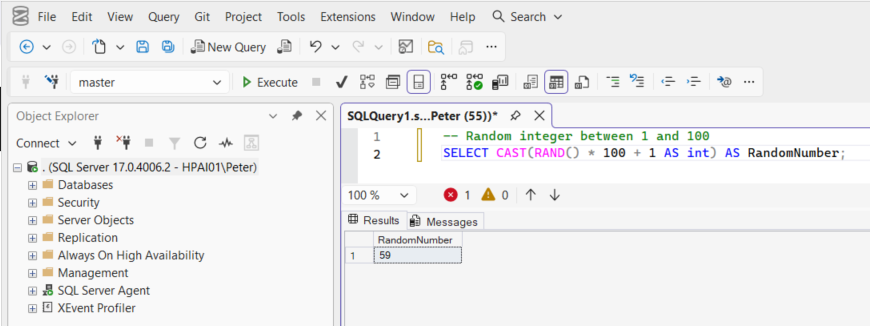
For a single value, this behaves exactly how most people expect.
You can use the same pattern to generate dates, percentages, or values in any numeric range by adjusting the multiplier. That makes RAND() useful when you want controlled randomness, especially during testing.
You can also seed it:
-- Generate a repeatable random value using a seed
SELECT CAST(RAND(42) * 100 + 1 AS int) AS SeededRandom;
Seeding is useful when you want the same value every time, for example when recreating a test scenario or debugging behaviour.
Why RAND() Behaves Strangely in Queries
Things get confusing when you try to use RAND() across multiple rows.
-- RAND() is evaluated once and reused for all rows
SELECT
    name,
    CAST(RAND() * 100 + 1 AS int) AS RandomNumber
FROM sys.databases;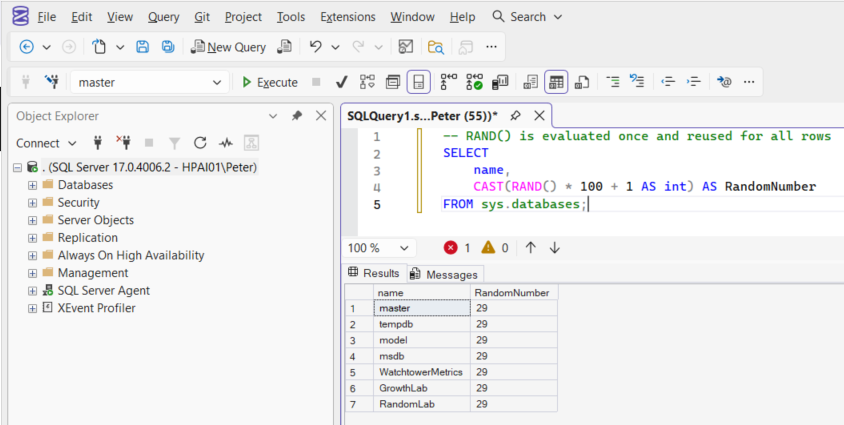
Every row returns the same number.
This is not a bug. RAND() is calculated once when the query starts, and that single value is reused for all rows in the result set.
That makes RAND() a poor fit when you want different random values per row, but it is still useful when you intentionally want one random value applied consistently.
When RAND() Makes Sense
RAND() works well when:
- You want one random value reused across a query
- You need repeatable test data
- You are generating a single value at a time
It does not work well for per-row randomness, and that is where NEWID() comes in.
Using NEWID() to Introduce Per-Row Randomness
NEWID() generates a unique identifier every time it is called.
-- Generate a unique identifier
SELECT NEWID() AS UniqueValue;
The important difference is that NEWID() is generated per row, not once per query. That makes it useful when you want variation across rows.
A common pattern is to turn it into a number:
-- Generate a different numeric value per row
SELECT
    name,
    ABS(CHECKSUM(NEWID())) % 100 + 1 AS RandomNumber
FROM sys.databases;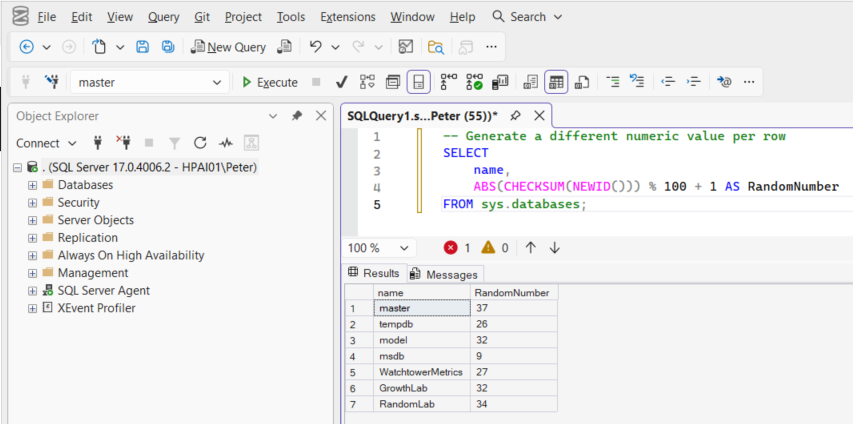
Each row now gets a different value.
This approach is widely used for test data generation, sampling, and situations where RAND() does not behave as required.
One caveat worth knowing, because it is rare enough to reach production before it bites. CHECKSUM() can return -2147483648, the smallest 32-bit integer, and ABS() has no positive equivalent to return for it. When that value comes up the query fails with Arithmetic overflow error converting expression to data type int (error 8115). Applying the modulo first avoids it, because the result is already small enough to negate:
-- Safe against the CHECKSUM edge case: modulo first, then ABS
SELECT
    name,
    ABS(CHECKSUM(NEWID()) % 100) + 1 AS RandomNumber
FROM sys.databases;
Getting a Random Float on Every Row
CHECKSUM(NEWID()) gives you an integer. When you want a fraction instead, a weighting or a probability rather than a bucket, you can feed that per-row integer into RAND() as its seed. RAND() is only evaluated once per query when it has no argument; given a seed that changes on every row, it produces a different float on every row:
-- A different float between 0 and 1 on every row
SELECT
    name,
    RAND(CHECKSUM(NEWID())) AS RandomFraction
FROM sys.databases;
This is the idiom to reach for when neither function alone does what you want: the per-row variation comes from NEWID(), and the float comes from RAND().
Randomising Row Order with ORDER BY NEWID()
The most common use of NEWID() is shuffling rows.
-- Return rows in a random order
SELECT *
FROM sys.objects
ORDER BY NEWID();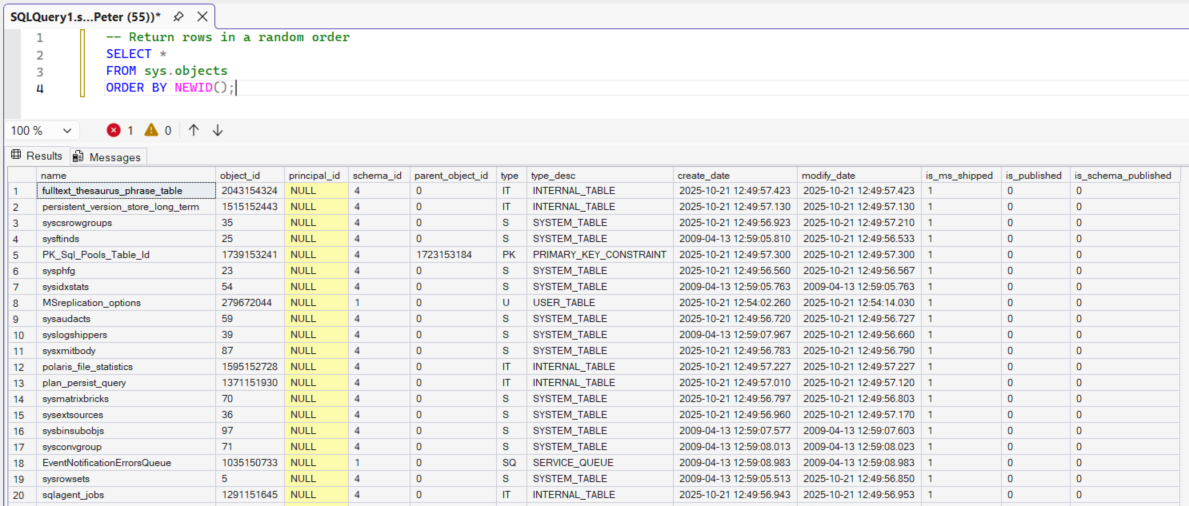
Each row is assigned a unique value and then sorted by it, resulting in a random order.
This is useful for sampling rows, testing assumptions about ordering, or one-off investigation queries.
It works well for small datasets, but it does not scale. Sorting on a generated value forces SQL Server to do extra work, which becomes expensive on large tables. If performance matters, this technique needs care.
When the table is big enough for that to hurt and you only need a sample rather than a true shuffle, TABLESAMPLE does the job without sorting anything. It works on pages rather than rows, which is exactly why it is cheap and also why it is approximate: asking for 10 percent of a 235,000-row table three times running returned 21,234, 24,189 and 23,927 rows. Close to a tenth each time, never the same twice, and never an exact count. Use it when a representative sample will do, and ORDER BY NEWID() when you genuinely need every row shuffled.
What This Does Not Solve
Neither RAND() nor NEWID() is suitable for generating secrets.
RAND() is a pseudo-random number generator. Given the same conditions or seed, it produces predictable results. That is useful for testing, but it is the opposite of what you want for things like passwords or tokens.
NEWID() generates values that are unique, not secret. GUIDs are designed to avoid collisions, not to be hard to guess, and SQL Server does not treat them as cryptographically secure.
Both functions are intended for data shaping and query behaviour, not for generating passwords, access tokens, or encryption material. SQL Server does ship a cryptographic generator for that job, CRYPT_GEN_RANDOM(), which returns cryptographically secure bytes:
-- Cryptographically secure random bytes, unlike RAND() or NEWID()
SELECT CRYPT_GEN_RANDOM(16) AS SecureBytes;
Even so, the usual advice holds: secrets are better generated and handled where they are used, in the application or the operating system, rather than travelling through a query plan and possibly a log.
Randomness in SQL Server is mostly a question of how often a function gets evaluated. These are the near neighbours where the same question decides the answer.
- Get Current Date and Time in SQL Server, the other built-in that is evaluated once per statement, not once per row
- How to Delete Duplicate Rows in SQL Server, the other place
ROW_NUMBER() OVER (ORDER BY ...)does the real work - Deleting Rows in Batches in SQL Server, what to do when the result set is large enough that the ordering cost matters
- DBA Scripts: Generate Test Databases, where randomised data actually gets used
Leave a Reply