
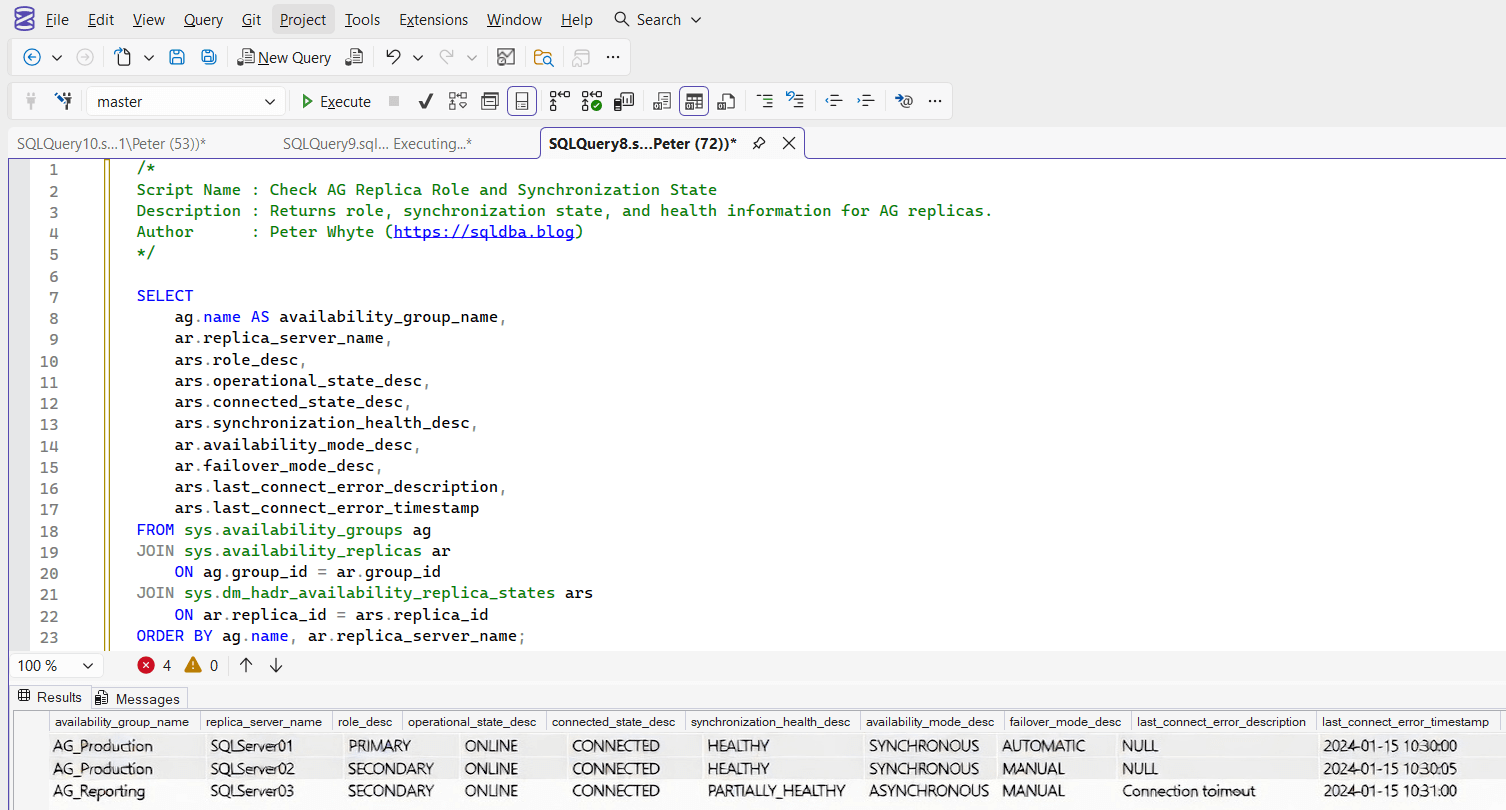
This script returns the current role, synchronization state, health status, and failover configuration for replicas participating in an Always On Availability Group.
It is commonly used during failover validation, replica troubleshooting, and general high availability health checks.
The Script
Example Output
The result set shows one row per replica in each Availability Group.
Important columns include:
- role_desc – Indicates whether the replica is
PRIMARYorSECONDARY - synchronization_health_desc –
HEALTHY,PARTIALLY_HEALTHY, orNOT_HEALTHY - connected_state_desc – Shows whether the replica is currently connected
- availability_mode_desc –
SYNCHRONOUS_COMMITorASYNCHRONOUS_COMMIT - failover_mode_desc –
AUTOMATICorMANUAL
Together, these columns provide a quick operational view of AG configuration and health status.
Notes
- Only returns data if Availability Groups are enabled
- Useful before and after planned failovers
- Check
synchronization_health_descbefore initiating manual failover - Combine with latency script for deeper replication visibility
Leave a Reply