
PAGELATCH_EX (and its sibling PAGELATCH_UP) is a latch wait on a page that is already in memory. That one word, memory, is the whole story. This is not disk I/O. If you see PAGE**IO**LATCH you have a storage problem; if you see PAGELATCH you have a concurrency problem: too many threads trying to change the same in-memory page at the same time.
In practice, when PAGELATCH_EX climbs to the top of your wait stats it almost always means one thing: tempdb allocation contention. Many sessions are creating and dropping temporary objects, and they are all queueing on the same handful of allocation pages.
Is This Wait Expected?
A little is normal on any busy server, latches are how SQL Server protects pages in memory, and short waits are just the system working. It becomes a signal worth chasing when:
PAGELATCH_EX/PAGELATCH_UPis a top wait type and theresource_descriptionpoints at tempdb (database id 2)- The contended pages are allocation pages,
2:1:1(PFS),2:1:2(GAM),2:1:3(SGAM), or2:3:*repeating - Throughput drops as concurrency rises, more users make it disproportionately worse
- The workload leans on temp tables, table variables, or heavy sort/hash spills to tempdb
The 2:1:1 style resource is the tell. The first number is the database id (2 = tempdb), then the file id, then the page id. Page 1 is PFS, 2 is GAM, 3 is SGAM, the pages SQL Server updates every time it allocates or frees space.
When To Ignore It
Low levels alongside other waits, if PAGELATCH_EX is a few percent of total waits and nothing points at tempdb allocation pages, it’s just normal latch coordination.
A single hot user table, PAGELATCH_EX on a user database page (not tempdb) is usually last-page insert contention, a different problem with a different fix (covered below). Don’t reach for tempdb files if the resource isn’t database id 2.
Root Causes
Too few tempdb data files, the classic cause. With one tempdb data file, every allocation goes through one set of PFS/GAM/SGAM pages, and concurrent sessions serialise on them. More equally-sized data files spread the allocation load across more allocation pages.
Heavy temporary object churn, code that creates and drops #temp tables (or table variables) at high frequency hammers the allocation pages. Thousands of small temp objects per second is enough to make this the dominant wait.
Uneven tempdb files or growth, if tempdb data files are different sizes, SQL Server’s proportional-fill algorithm favours the file with the most free space, funnelling allocations back onto one file and undoing the benefit of having several.
Last-page insert contention (user databases), an index with an ever-increasing key (an IDENTITY or datetime) inserts every new row onto the same final page. Under high concurrency the threads fight over that one page and you get PAGELATCH_EX on a user-database resource.
How To Diagnose It
See exactly which pages are contended right now:
SELECT
    wt.session_id,
    wt.wait_type,
    wt.wait_duration_ms,
    wt.resource_description
FROM sys.dm_os_waiting_tasks AS wt
WHERE wt.wait_type LIKE 'PAGELATCH%'
ORDER BY wt.wait_duration_ms DESC;
Read the resource_description: 2:1:1 is the PFS page in tempdb file 1, 2:1:2 is GAM, 2:1:3 is SGAM. A cluster of waits on 2:1:1 / 2:1:3 is the signature of tempdb allocation contention.
Check how many tempdb data files you have and whether they’re even:
SELECT
    file_id,
    name,
    size * 8 / 1024 AS size_mb,
    growth
FROM tempdb.sys.database_files
WHERE type_desc = 'ROWS'
ORDER BY file_id;
If there’s one row, that’s very likely your problem. If the sizes differ, proportional fill is working against you.
What To Do
Add tempdb data files, equally sized. The long-standing guidance: one data file per logical core up to 8, then add more (in fours) only if contention persists. All files the same size with the same autogrowth so proportional fill stays balanced.
-- Example: add a second, equally-sized tempdb data file
ALTER DATABASE tempdb
ADD FILE (
    NAME = tempdev2,
    FILENAME = 'T:\tempdb\tempdev2.ndf',
    SIZE = 1024MB,
    FILEGROWTH = 256MB
);
Keep the files uniform. On SQL Server 2016 and later, uniform autogrowth across tempdb files is the default behaviour. On older versions enable trace flags 1117 (grow all files together) and 1118 (uniform extents) to get the same effect.
Use memory-optimized tempdb metadata (SQL Server 2019+). If the contention is on system-table metadata rather than allocation pages, this removes it:
ALTER SERVER CONFIGURATION
SET MEMORY_OPTIMIZED TEMPDB_METADATA = ON;
-- requires a restart to take effect
Fix last-page insert contention (user databases). When the hot page is in a user database, adding tempdb files won’t help. On SQL Server 2019+ use OPTIMIZE_FOR_SEQUENTIAL_KEY on the offending index; on older versions consider a non-sequential key (e.g. a hash or reversed key) to spread inserts across pages.
ALTER INDEX PK_Orders ON dbo.Orders
SET (OPTIMIZE_FOR_SEQUENTIAL_KEY = ON);
Related
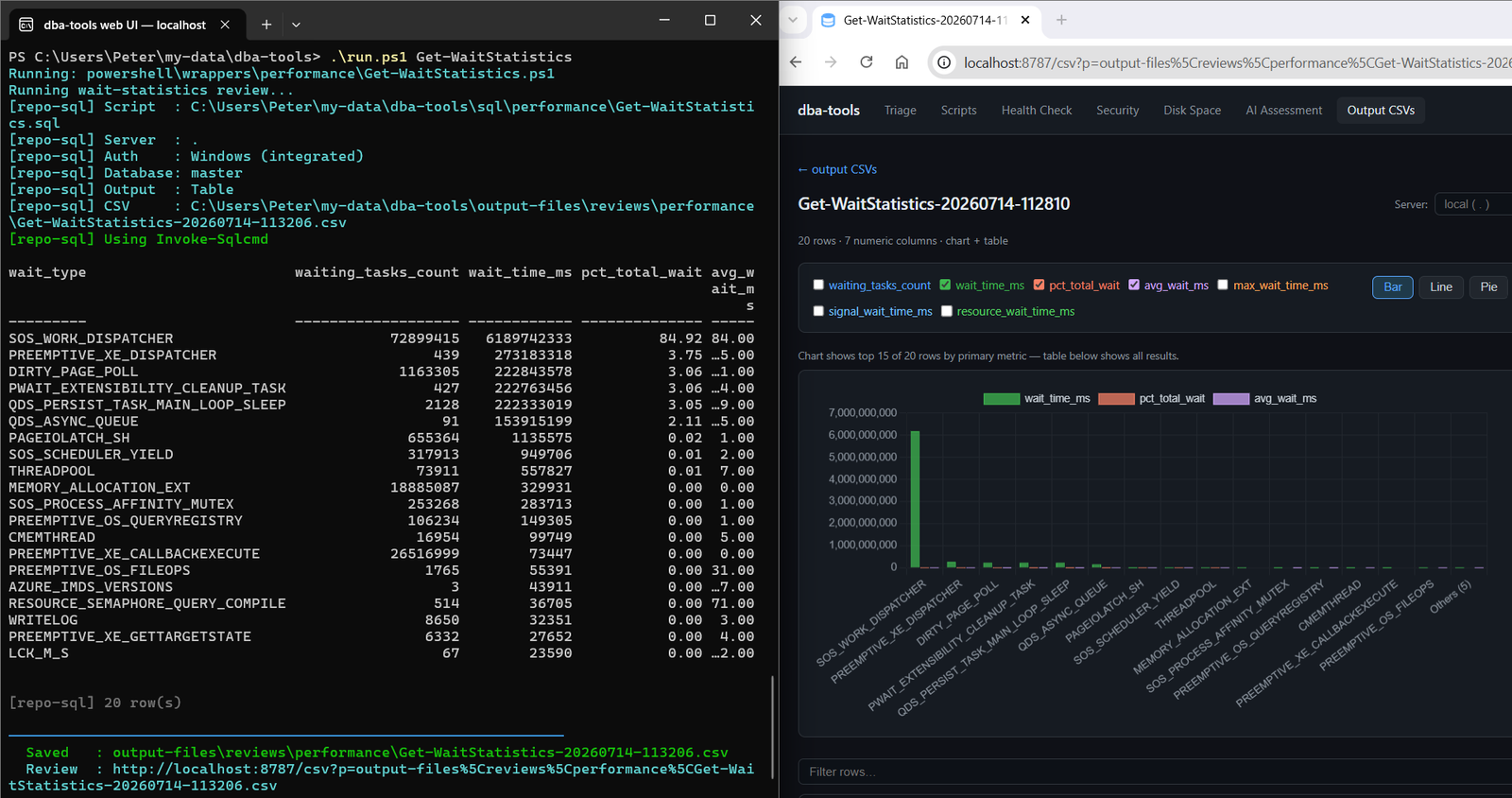
Get-WaitStatistics, the overview script that surfaces PAGELATCH in the first place- DBA Scripts: Get TempDB Configuration, the fuller tempdb configuration walkthrough
- TempDB Is Full or Still Growing, the space problem with the same name, for when tempdb is out of room rather than slow
- PAGEIOLATCH_EX, the disk version of this wait; don’t confuse the two
- tempdb database, Microsoft Docs
Get The Scripts
The word to remember is memory: PAGELATCH is threads queuing on a hot in-memory page, and nine times out of ten that page lives in tempdb.
Leave a Reply