
The USE command changes the database context for the current session.
Every statement in SQL Server runs in the context of a database. When you run USE, you are telling SQL Server which database subsequent statements should execute against until the context changes again or the session ends.
That single behaviour explains a lot of day-to-day confusion.
What the USE Command Does
USE DatabaseName;  -- replace with your database
GO
After this runs, unqualified object names are resolved against DatabaseName.
GO is not part of the USE command itself. It is a batch separator understood by tools like SSMS and sqlcmd, which is why you almost always see it paired with USE in scripts.
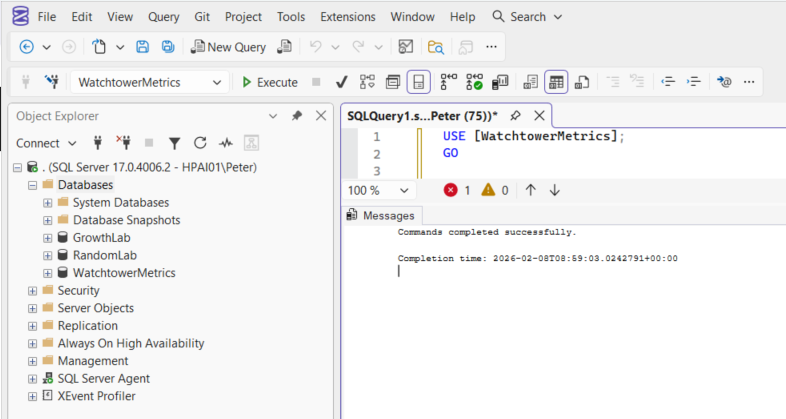
How Database Context Works in SSMS
When you open a new query window in SSMS, the database context is set to the default database of your login.
From there, you can change context in three equivalent ways:
- Selecting a database from the SSMS dropdown
- Running a
USEstatement - Fully qualifying object names
All three control where SQL Server looks for objects.
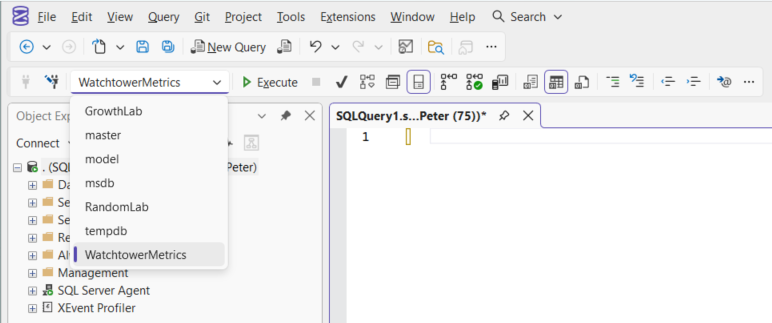
You can also get into scope of a specific database by clicking it in Object Explorer and selecting New Query. That opens a query window already scoped to that database, without needing to run USE.
Example
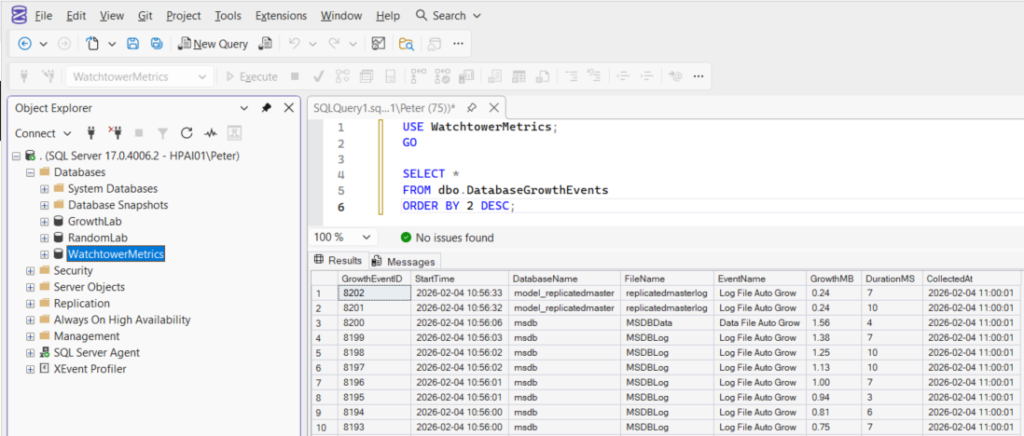
USE WatchtowerMetrics;
GO

SELECT *
FROM dbo.DatabaseGrowthEvents
ORDER BY 2 DESC;
Without the USE statement, SQL Server would attempt to resolve the table in whatever database the session started in. That’s a common cause of “invalid object name” errors when moving between environments.
Operational Notes
Most DBAs use USE simply to get into scope of a database while writing or running a query.
Most DBAs use USE simply to get into scope of a database while writing or running a query. It avoids fully qualifying object names and makes the intended target database obvious at a glance.
It is usually avoided in stored procedures, application code, and automated deployments, where three-part naming (database.schema.object) is safer and behaviour needs to be predictable across connections.
Listing Databases When the UI isn’t Helpful
If Object Explorer isn’t showing what you expect, querying the catalog directly is often quicker and more reliable.
This is common when:
- Working via
sqlcmdor other CLI tools - Permissions restrict metadata visibility
- Running in locked-down production environments
SELECT name
FROM sys.databases
ORDER BY name;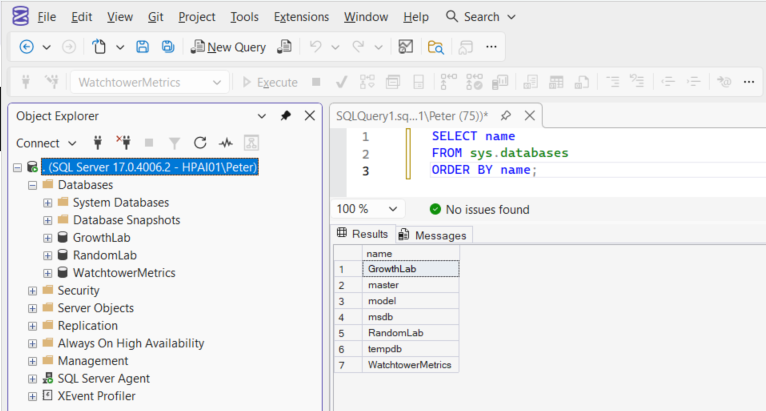
This situation comes up most often when you’re working outside SSMS, where there is no Object Explorer to fall back on and database context is entirely session-driven. Tools like sqlcmd behave the same way: context is set per session and must be managed explicitly.
If you use sqlcmd regularly, it’s worth understanding how that context behaves. See sqlcmd Examples for SQL Server.
Where USE Does Not Apply
USE is not available or appropriate everywhere.
In Azure SQL Database, USE does not work at all. Each connection is bound to a single database, so switching context is not possible. To target a different database, you must connect directly to it, usually via the connection string. This is a platform constraint, not a syntax difference.
In application code, USE is usually the wrong abstraction. Applications should connect directly to the intended database or rely on fully qualified object names. Using USE with pooled connections makes behaviour harder to reason about and can introduce subtle bugs.
In both cases, database context should be explicit at connection time, not changed mid-session.
Summary
USE changes the database context for the current session.
For DBAs, it’s a practical tool for investigation and administration. For application logic, it’s usually best avoided.
Once you understand that database context is always in play, a lot of SQL Server behaviour becomes easier to reason about.
Leave a Reply