
SQL Server uses an encryption hierarchy to protect secrets such as credentials, asymmetric keys and certificates. At the database level, that hierarchy is anchored by the database master key (DMK).
Because all other encrypted objects depend on it, losing access to the DMK can render those objects unusable.
This post walks through how to:
- Check whether a database has a master key
- Create a database master key
- Open it manually when required
- Back it up safely
- Restore it when things go wrong
It also explains why saving the password and backing up the DMK are non-negotiable from an operational standpoint.
If you are here because something already failed, the messages covered below are Msg 15581 (open the master key first), Msg 15313 (wrong password), Msg 15466 (an error occurred during decryption) and Msg 15329 (the one that mentions FORCE, and losing data). Each is in the section it belongs to.
What the Database Master Key Is Responsible For
The DMK is a symmetric key stored in each database; it protects:
- Certificate private keys
- Asymmetric keys
- Database-scoped credentials
- Other secrets that rely on SQL Server encryption
When you create a DMK, you supply a password. By default, SQL Server also encrypts the DMK using the instance’s service master key.
The dual encryption lets SQL Server open the DMK automatically during normal operation, while still giving you a way to recover it if the database is moved to another instance.
Checking Whether a Database Has a Master Key
Before creating anything, check what exists.
To see whether a database master key is encrypted by the service master key, query sys.databases:
-- Check whether a database master key is encrypted by the server
SELECT
    d.name,
    d.database_id,
    d.state_desc,
    d.is_read_only,
    d.is_auto_close_on,
    d.is_encrypted,
    d.is_master_key_encrypted_by_server,
    d.create_date
FROM sys.databases AS d
ORDER BY d.name;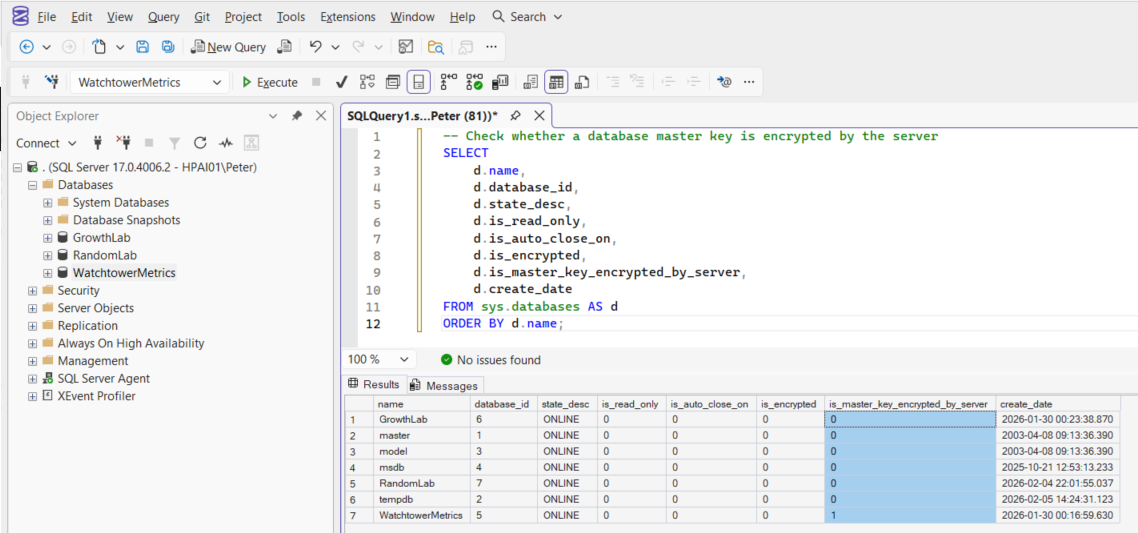
Read that column carefully, because it answers a narrower question than it looks like it answers. It is a bit, it is not nullable, and on the capture above every database except one reads 0. That is not 6 databases with unprotected master keys, it is mostly databases with no master key at all.
Checked 4 ways on SQL Server 2025 CU8 on 2026-09-10: a fresh database with no key reads 0; creating the DMK moves it to 1; ALTER MASTER KEY DROP ENCRYPTION BY SERVICE MASTER KEY moves it back to 0; and sys.all_columns reports is_nullable = 0, with NULL on 0 of the 16 databases on that instance. Microsoft Learn documents it the same way, as 1 or 0 with no third state.
So the flag on its own cannot tell you whether a database has a key. Pair it with sys.symmetric_keys, which is the next query, and read the two together.
You can also list keys directly. In each database, the DMK appears as ##MS_DatabaseMasterKey## in sys.symmetric_keys:
-- List symmetric keys in the database
-- The database master key appears as ##MS_DatabaseMasterKey##
USE [Database01];  -- replace with your database
GO
SELECT *
FROM sys.symmetric_keys;
If a database master key exists, it will appear as ##MS_DatabaseMasterKey##.
Creating a Database Master Key
If the database does not already have a DMK, create one using a strong password. Because the DMK is database-scoped, you need to run this per database:
-- Create a database master key encrypted by a strong password
-- This password is critical and must be stored securely
USE [Database01];  -- replace with your database
GO
CREATE MASTER KEY
ENCRYPTION BY PASSWORD = 'StrongPasswordHere';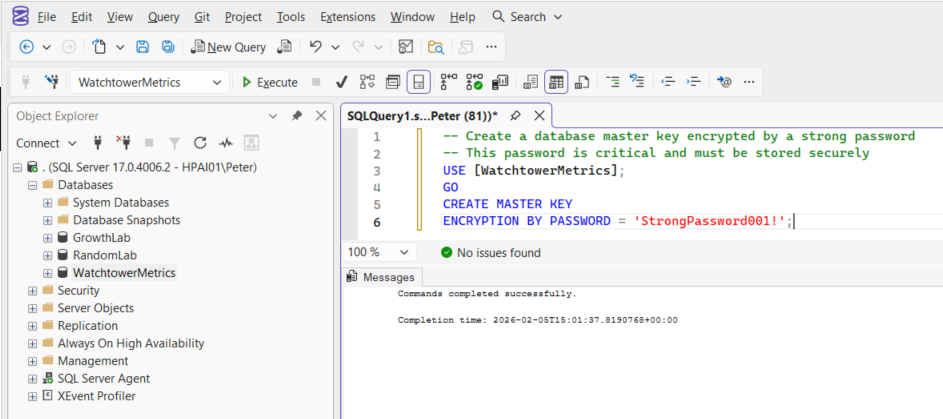
After creation, back up the DMK immediately (see below) and record the password in a secure password manager.
The password is your only guaranteed recovery mechanism if the service master key cannot decrypt the DMK, for example after restoring the database to another instance. If you want to see every key, certificate and TDE state on an instance in one pass rather than database by database, Get Certificates, Keys, and TDE Status does that.
Microsoft Learn: Create Master Key
Opening the Master Key Manually
When a DMK is encrypted by the service master key, SQL Server can open it automatically. However, you may need to open it manually:
- After restoring the database to a new server where the service master key doesn’t match.
- During troubleshooting of encryption-related errors.
- When automatic decryption is disabled.
The symptom is a statement that needs the key refusing to run:
To open it, supply the original password:
-- Open the database master key using the password
USE [Database01];  -- replace with your database
GO
OPEN MASTER KEY
DECRYPTION BY PASSWORD = 'StrongPasswordHere';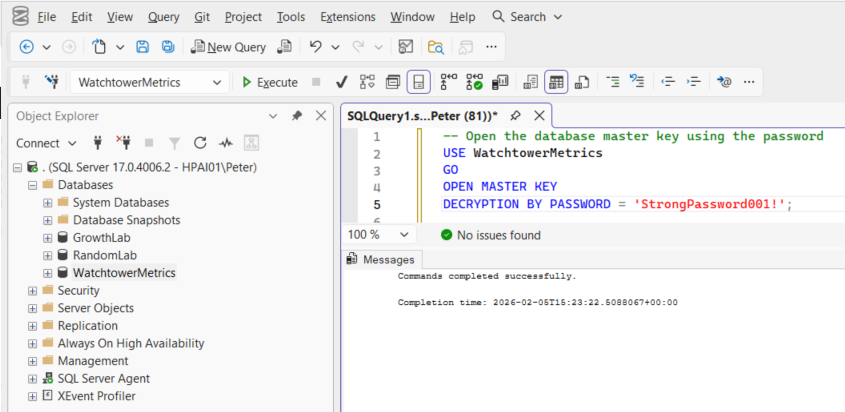
Once opened, SQL Server can access protected objects until the key is closed or the session ends. CLOSE MASTER KEY ends it early, and it is worth running when the key was only needed for one statement rather than leaving it open for the life of a pooled connection.
If the password is wrong you get a message that says exactly that, in the roundabout way SQL Server has:
Microsoft Learn: OPEN MASTER KEY
Backing Up the Database Master Key
Backing up the database itself is not sufficient to protect encrypted data. The DMK must be backed up separately.
Create the backup while the master key is open. Use a different password to encrypt the backup file:
-- Back up the database master key to a secure location
-- The backup password should be different from the master key password
USE [Database01];  -- replace with your database
GO
BACKUP MASTER KEY
TO FILE = 'C:\SecureLocation\DatabaseMasterKey.bak'
ENCRYPTION BY PASSWORD = 'BackupPasswordHere';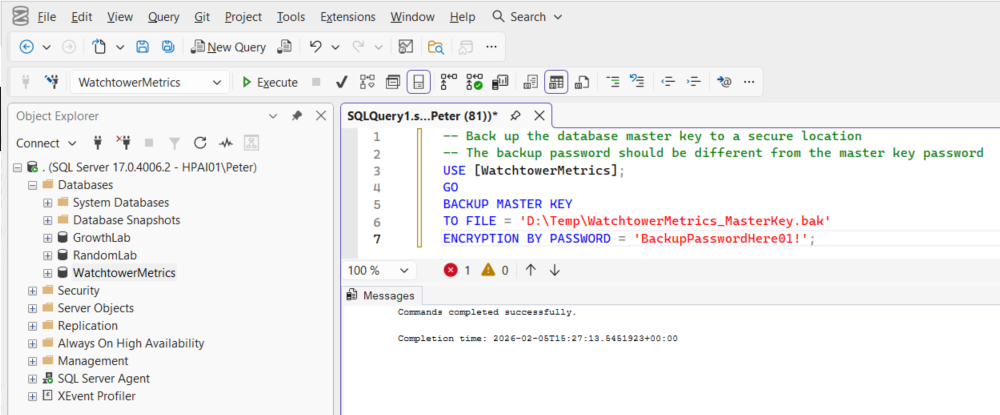
This backup file, combined with its password, is what allows you to recover encrypted objects if the DMK itself is lost. Note the “combined with”: 2 separate passwords are now in play, the one that protects the key and the one that protects the file, and they are not interchangeable. The backup encryption workflow depends on both of them still being available.
Operational guidance:
- Store the backup off the database server
- Protect it like credentials or certificates
- Store the password securely and separately
Microsoft Learn: BACKUP MASTER KEY
Restoring a Database Master Key
If SQL Server cannot open the DMK automatically after a restore, you may need to restore it from a backup.
Provide:
DECRYPTION BY PASSWORD, the backup password, which opens the backup fileENCRYPTION BY PASSWORD, a new password, which the restored DMK will use from then on
-- Restore the database master key from backup
-- The DECRYPTION password is the backup password
-- The ENCRYPTION password becomes the new master key password
USE [Database01];  -- replace with your database
GO
RESTORE MASTER KEY
FROM FILE = 'C:\SecureLocation\DatabaseMasterKey.bak'
DECRYPTION BY PASSWORD = 'BackupPasswordHere'
ENCRYPTION BY PASSWORD = 'StrongPasswordHere';

SELECT *
FROM sys.symmetric_keys;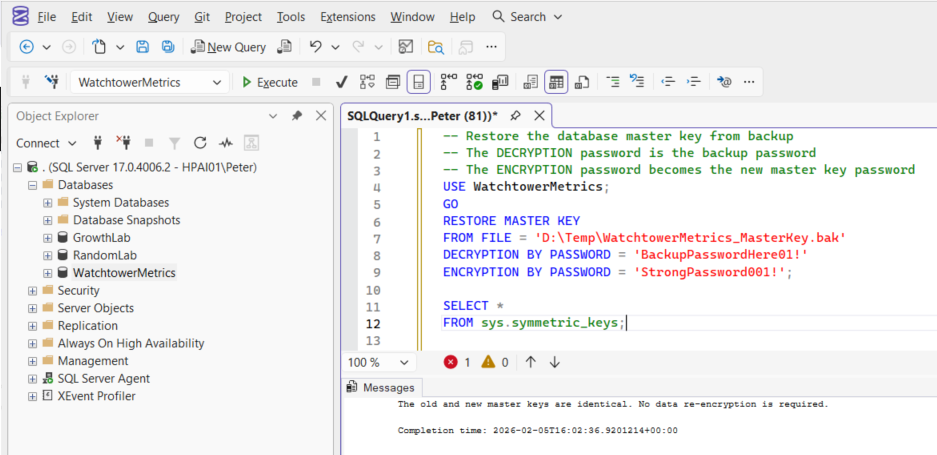
Read the two password lines rather than pattern-matching them. DECRYPTION opens the backup file, so it takes the backup password. ENCRYPTION sets what the key’s password will be from now on. Swap them and the statement fails on the spot:
That is the harmless failure. The one to be careful about is FORCE.
RESTORE MASTER KEY has to decrypt everything the current DMK protects and re-encrypt it under the restored key. If it cannot open the current key, it stops and tells you what your options are:
That last sentence is not a formality, and the catalog views will not warn you afterwards. I built the case on a throwaway database on SQL Server 2025 CU8: a certificate whose private key exported cleanly before the restore would not export after a FORCE restore, failing with the same Msg 15466. sys.certificates still listed it, still reporting pvt_key_encryption_type_desc of ENCRYPTED_BY_MASTER_KEY, as though nothing had happened. The row survives. The key inside it does not.
So the order is: OPEN MASTER KEY with the current password first, then restore. FORCE is for the case where the current key is genuinely unrecoverable and you have accepted losing whatever it protected. Verify access to certificates and credentials afterward either way.
Microsoft Learn: RESTORE MASTER KEY
Re-Encrypting the Master Key with the Service Master Key
After a RESTORE MASTER KEY, the key is no longer encrypted by the current instance’s service master key, so nothing opens it automatically. On the lab, restoring a DMK into a database that had none left is_master_key_encrypted_by_server at 0, and the very next statement that needed the key returned Msg 15581.
A database restore is a different story, and this is the part worth knowing before you plan a migration. The DMK lives inside the database, so it travels in an ordinary database backup along with the certificates it protects. You do not restore the key separately when you move a database. What does not travel usefully is the service master key encryption, because that belongs to the instance the database came from.
Measured on 2026-09-10: backing up a database with a DMK and restoring it under a new name left ##MS_DatabaseMasterKey## and its certificate intact in the copy, with the flag reset to 0. On that same instance the key still opened automatically, because the service master key had not changed. On a different instance it will not, which is the whole reason the password matters. Treat the flag as metadata rather than a prediction: the only reliable test of whether a restored DMK opens on its own is to run something that needs it.
To restore automatic opening, re-encrypt it against the instance you are now on. The DMK must be opened first:
-- Open database master key to complete and verify
USE [Database01];  -- replace with your database
GO
OPEN MASTER KEY
DECRYPTION BY PASSWORD = 'StrongPasswordHere';

-- Encrypt the database master key by the Service Master Key
ALTER MASTER KEY
ADD ENCRYPTION BY SERVICE MASTER KEY;
Without this step, you would need to manually open the DMK using the password whenever encrypted objects are accessed, in every session, which application code almost never does. That sequence took a restored database from Msg 15581 on every statement to opening cleanly, with the flag back at 1.
Why the Password and Backup Matter
From an operational perspective, the DMK password and backup are not optional.
If you lose both:
- Encrypted credentials and certificates become unusable
- Features depending on encryption may fail silently or catastrophically, encrypted backups being the one that usually surfaces first
- Database migration or recovery may be impossible
This typically surfaces during rebuilds, availability group moves, or disaster recovery. When it does, there is no workaround.
Saving the password securely and backing up the DMK is part of owning the database.
Summary
The database master key sits at the root of SQL Server’s encryption hierarchy. As a DBA, you should always know:
- Whether a database has a DMK
- Whether it is encrypted by the service master key
- Where the backup is stored and who has the password
- That the backup restores, because a key backup you have never restored is a file, not a recovery plan
Treat the DMK seriously. If you do not, SQL Server will force the issue at the worst possible time.
The database master key sits underneath the rest of SQL Server encryption. These are the things that depend on it.
- Get Certificates, Keys, and TDE Status, audit every key, certificate and TDE state on the instance.
- Backing Up a SQL Server Database with Encryption, the backup side, which depends on this key being available.
- SQL Server Security Scripts, logins, permissions and auditing across the instance.
Leave a Reply