
SQL Server’s default trace captures database and log file growth events, but it’s short-lived. Once the trace rolls over or the instance restarts, that history is gone.
If you want to understand growth patterns over time, react less to disk alerts, and stop guessing which databases are mis-sized, you need to store those events somewhere.
If you only need a quick, read-only view of recent growth activity, see Show Database Growth Events in SQL Server
This post builds on that approach by persisting growth events over time so they can be analysed properly.
This post shows how to:
- Create a table to store database growth events
- Create a stored procedure to collect them safely
- Schedule it via SQL Agent
- Query the data for analysis
The collection logic is idempotent. You can run it repeatedly without duplicating rows.
Why Track Growth Over Time
Autogrowth itself isn’t the issue. Unexpected growth is.
Tracking growth events over time lets you:
- See which databases grow repeatedly
- Spot poor growth settings early
- Correlate growth with workload or incidents
- Prove that a disk alert wasn’t “random”
The default trace already captures this data. This just makes it usable.
Create the Storage Table
This table lives in a central metrics database. Adjust naming or schema to suit your environment.
USE WatchtowerMetrics;
GO

IF OBJECT_ID('dbo.DatabaseGrowthEvents') IS NOT NULL
    DROP TABLE dbo.DatabaseGrowthEvents;
GO

CREATE TABLE dbo.DatabaseGrowthEvents
(
    StartTime     DATETIME2(3)  NOT NULL,
    DatabaseName  sysname       NOT NULL,
    FileName      NVARCHAR(260) NOT NULL,
    EventName     NVARCHAR(100) NOT NULL,
    GrowthMB      DECIMAL(18,2) NOT NULL,
    DurationMS    INT           NOT NULL,
    InsertedAt    DATETIME2(3)  NOT NULL
        CONSTRAINT DF_DatabaseGrowthEvents_InsertedAt
        DEFAULT SYSUTCDATETIME()
);
GO
No identity column is required. De-duplication is handled at collection time.
Stored Procedure: Collect Database Growth Events
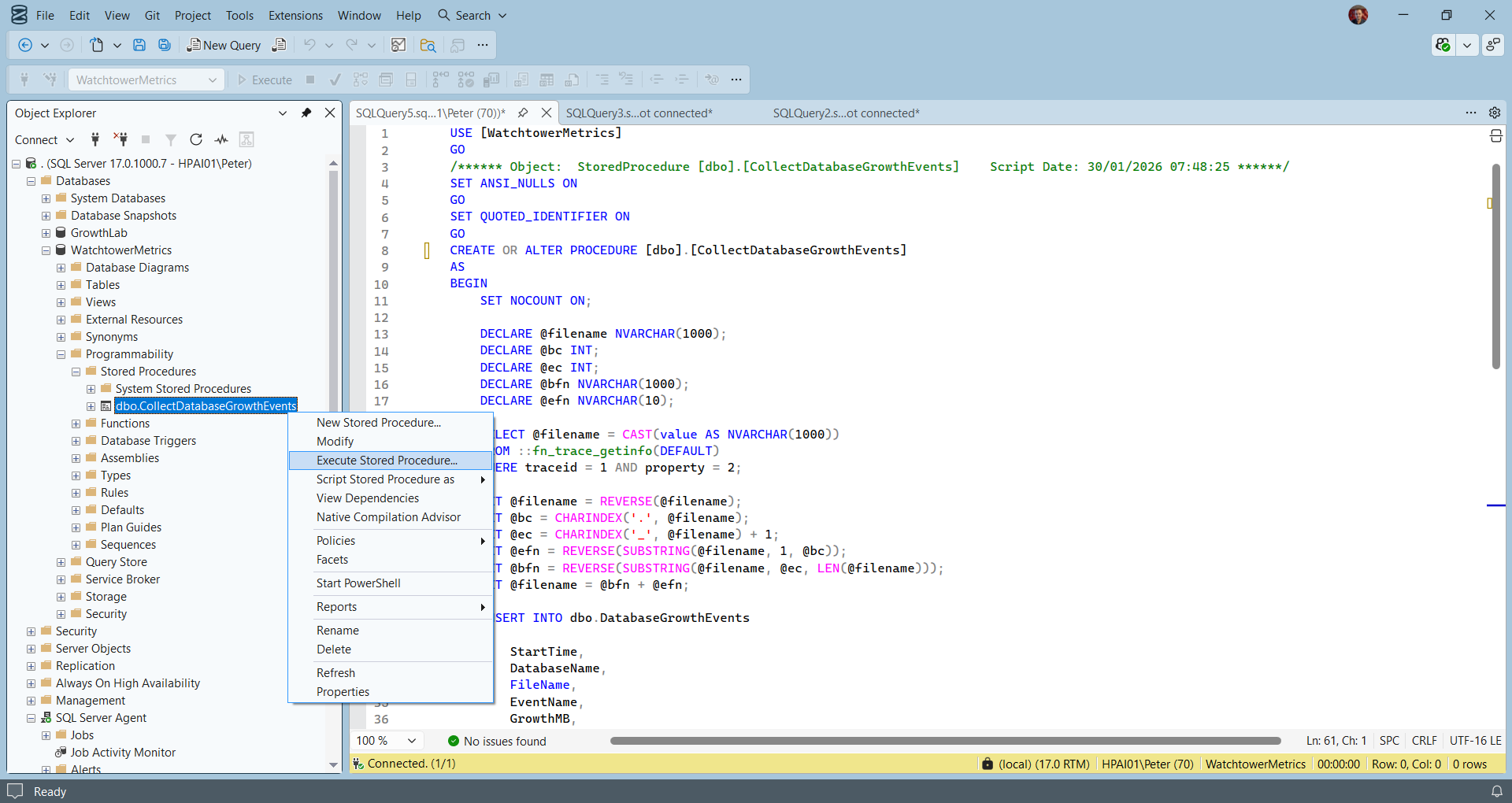
This procedure reads the default trace, extracts data and log file growth events, and inserts only new rows.
It is safe to run on a schedule.
USE WatchtowerMetrics;
GO

CREATE OR ALTER PROCEDURE dbo.CollectDatabaseGrowthEvents
AS
BEGIN
    SET NOCOUNT ON;

    DECLARE @filename NVARCHAR(1000);
    DECLARE @bc INT;
    DECLARE @ec INT;
    DECLARE @bfn NVARCHAR(1000);
    DECLARE @efn NVARCHAR(10);

    -- Get current default trace file
    SELECT @filename = CAST(value AS NVARCHAR(1000))
    FROM ::fn_trace_getinfo(DEFAULT)
    WHERE traceid = 1
      AND property = 2;

    -- Derive base filename (handle rollover)
    SET @filename = REVERSE(@filename);
    SET @bc = CHARINDEX('.', @filename);
    SET @ec = CHARINDEX('_', @filename) + 1;
    SET @efn = REVERSE(SUBSTRING(@filename, 1, @bc));
    SET @bfn = REVERSE(SUBSTRING(@filename, @ec, LEN(@filename)));
    SET @filename = @bfn + @efn;

    INSERT INTO dbo.DatabaseGrowthEvents
    (
        StartTime,
        DatabaseName,
        FileName,
        EventName,
        GrowthMB,
        DurationMS
    )
    SELECT
        ftg.StartTime,
        DB_NAME(ftg.databaseid),
        ftg.Filename,
        te.name,
        (ftg.IntegerData * 8) / 1024.0,
        ftg.duration / 1000
    FROM ::fn_trace_gettable(@filename, DEFAULT) AS ftg
    JOIN sys.trace_events AS te
        ON ftg.EventClass = te.trace_event_id
    WHERE ftg.EventClass IN (92, 93) -- Data and Log File Auto-grow
      AND NOT EXISTS
      (
          SELECT 1
          FROM dbo.DatabaseGrowthEvents d
          WHERE d.StartTime    = ftg.StartTime
            AND d.DatabaseName = DB_NAME(ftg.databaseid)
            AND d.FileName     = ftg.Filename
            AND d.EventName    = te.name
            AND d.GrowthMB     = (ftg.IntegerData * 8) / 1024.0
      );
END;
GO
The NOT EXISTS check makes this procedure idempotent. You can run it every few minutes without worrying about duplicates.
Schedule the Collection with SQL Agent
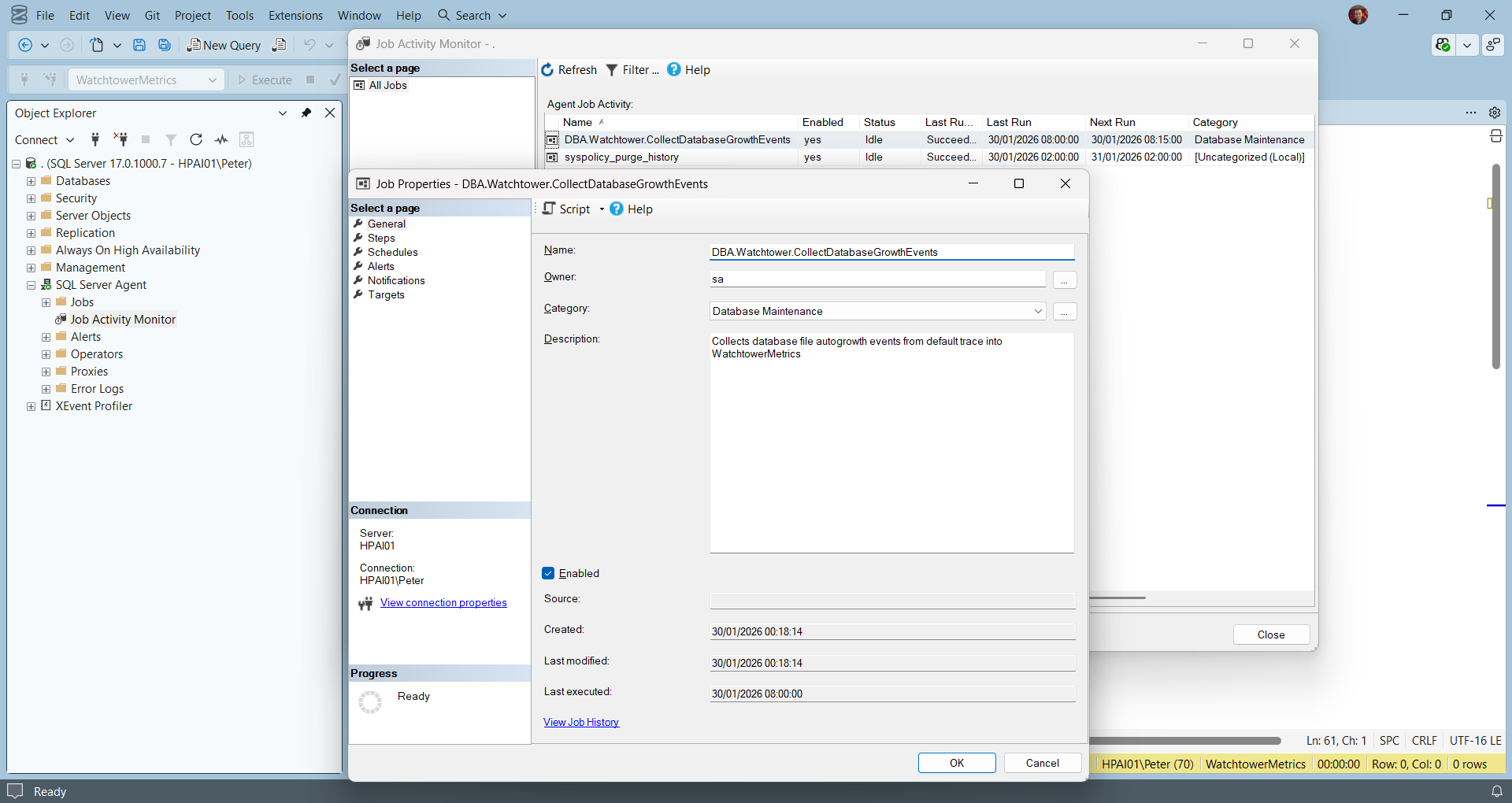
Create a SQL Agent job that runs this stored procedure on a schedule.
Typical patterns:
- Every 5 minutes for busy systems
- Every 10–15 minutes for quieter estates
Job step command:
EXEC WatchtowerMetrics.dbo.CollectDatabaseGrowthEvents;No parameters. No state tracking. No last-run timestamp logic.
If the default trace rolls over between executions, previously unseen events are still picked up.
Querying the Growth History
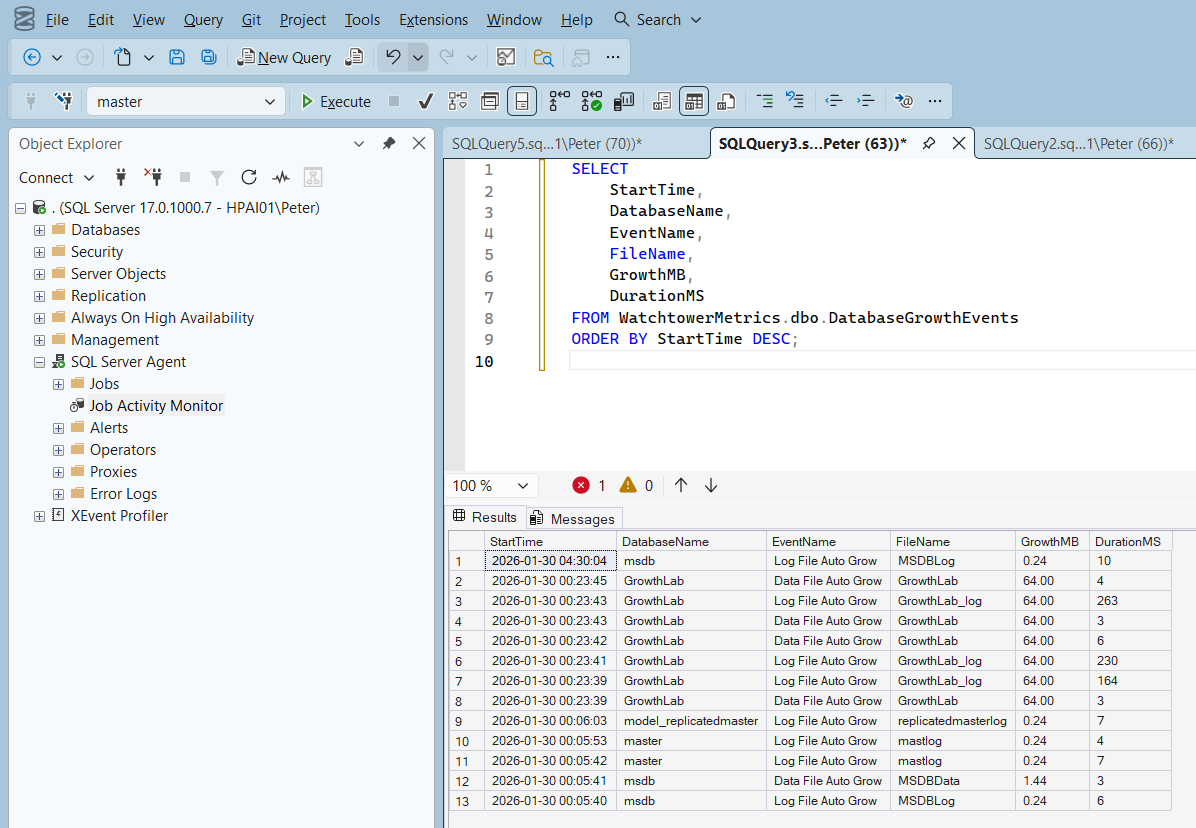
Once the job has been running, querying the data is straightforward.
SELECT
    StartTime,
    DatabaseName,
    EventName,
    FileName,
    GrowthMB,
    DurationMS
FROM WatchtowerMetrics.dbo.DatabaseGrowthEvents
ORDER BY StartTime DESC;
This is usually enough to answer questions like:
- Which database keeps growing its log
- How often a file is growing
- Whether growth is happening during peak hours
- How long growth operations are taking
From here, it’s easy to feed the data into reporting or dashboards.
Notes and Limitations
- This relies on the default trace being enabled
- History is still limited by trace retention, but persisted once collected
- This is not a replacement for Extended Events or full monitoring tools
For many estates, this sits comfortably between “nothing” and over-engineering the problem.
Final Thoughts
Database growth events are one of the clearest signals of reactive sizing and capacity drift.
Tracking them over time turns guesswork into evidence.
This approach keeps things simple: use what SQL Server already captures, store it safely, and make it queryable. No noise, no duplicates, no surprises.
Leave a Reply