
This script shows the current MAXDOP setting and helps you quickly validate whether it’s likely to be sensible for the server you’re connected to. It includes the configured MAXDOP value and core visibility information so you can make an informed call without digging through multiple places.
The Script
Example Output
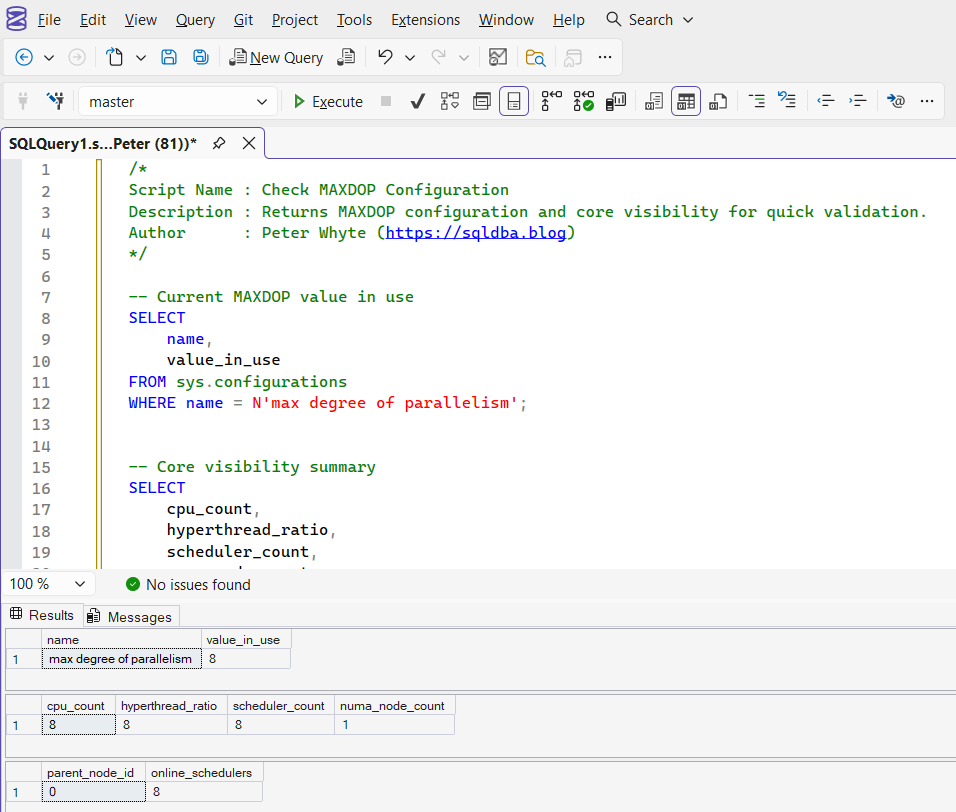
The first result set shows the MAXDOP value currently in use. The remaining result sets show how many CPUs and schedulers SQL Server can use, including the scheduler distribution by node. This gives quick context when deciding whether MAXDOP is likely too high or too low for the server.
Notes
- MAXDOP should be reviewed alongside cost threshold for parallelism and workload characteristics
- Use this as a baseline check during performance investigations and new server validation
- The goal is to avoid extreme settings that cause unnecessary parallelism or constrain it too heavily
Leave a Reply