
By default, SQL Server Management Studio limits the number of characters displayed per column when using Results to Text. The default limit is 256 characters.
If a query or system stored procedure returns more than that, the output is silently truncated. You get partial results, which is often worse than getting an error.
This post shows when this happens and how to fix it properly.
Why This Happens
The limit applies only when:
- Query output is set to Results to Text
- A column exceeds the configured character limit
- The default SSMS setting is still in place
Results to Grid are not affected. Results to Text are.
DBAs often switch to Results to Text when copying scripts, reviewing metadata, or working with system procedures, which is exactly where truncation becomes a problem.
When You’ll Actually Notice It
This usually comes up when:
- Running system stored procedures that generate scripts
- Inspecting dynamic SQL or metadata
- Working with replication tooling
- Copying output into change scripts, tickets, or reviews
A common example:
sp_scriptdynamicupdateproc, which generates replication update procedures and routinely exceeds the default limit.
How to Increase the Limit in SSMS
- Open SQL Server Management Studio
- Go to Tools → Options
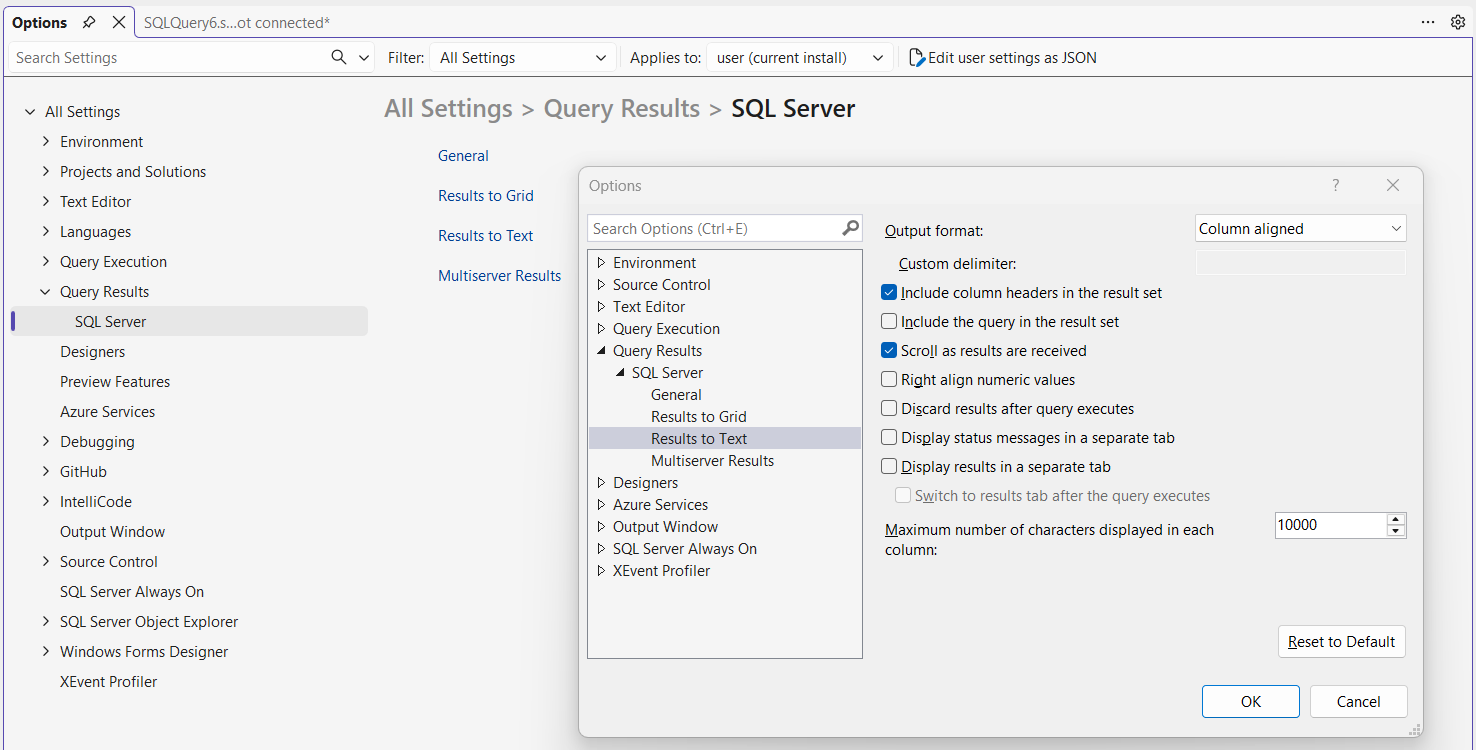
- Navigate to Query Results → SQL Server → Results to Text
- Increase Maximum number of characters displayed in each column
- Set the value to 10000 or 65535 (max)
- Click OK
You must open a new query window for the change to take effect.
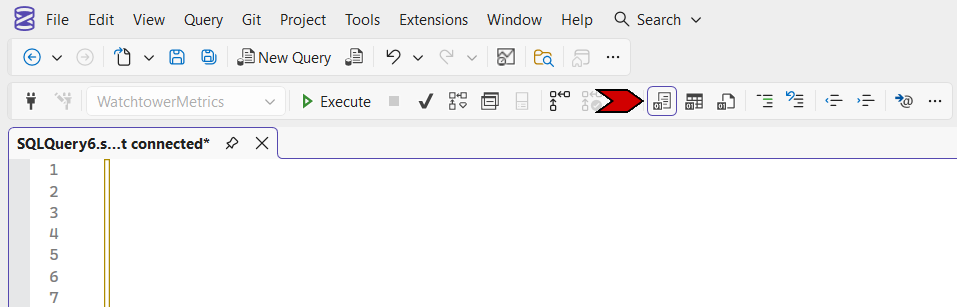
Switching to Results to Text
To use this setting, your query output must be set to Results to Text.
What Truncation Looks Like
When the limit is too low, long text values are cut off without warning.
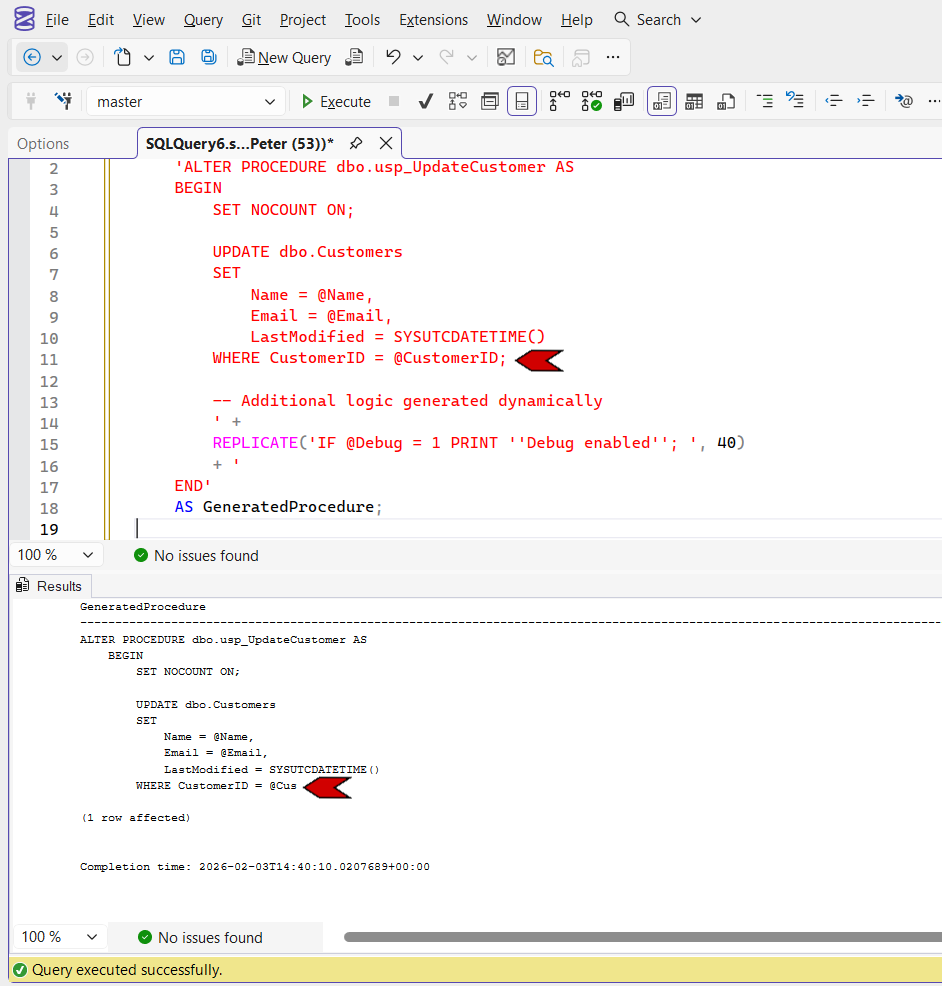
After increasing the limit and re-running the query, the full output is returned.
Final Notes
This is a client-side SSMS setting, not a SQL Server setting.
If you regularly work with generated scripts, metadata, or system procedures, increasing the Results to Text character limit is a one-time fix that removes a subtle but recurring source of frustration.
Leave a Reply